
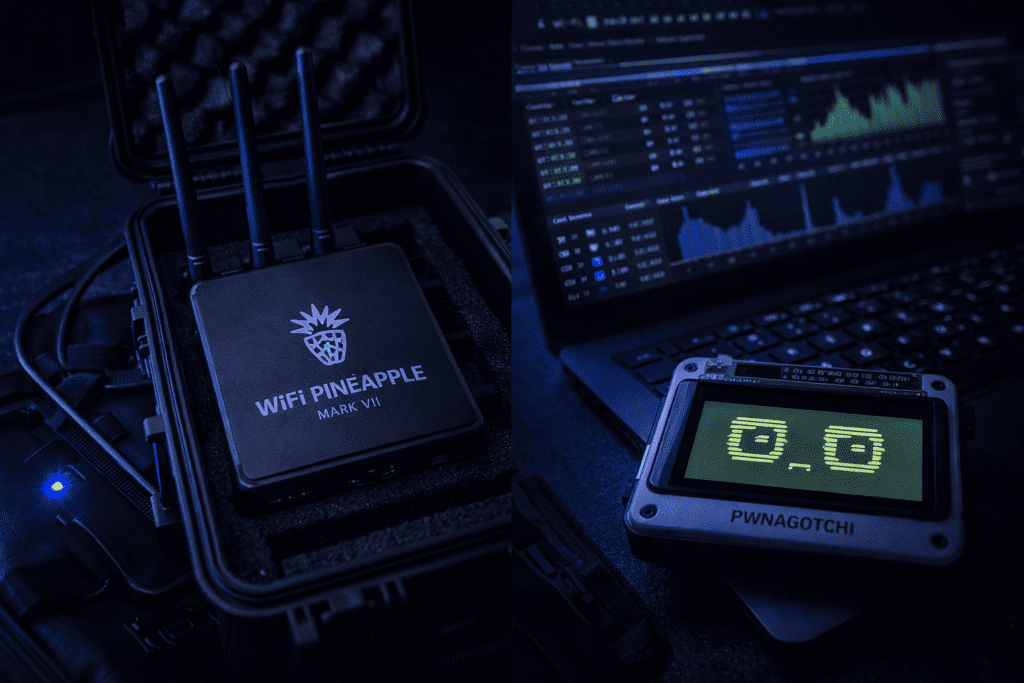
You’re staring at a client’s wireless infrastructure with 47 access points across three floors. Manual testing each one will burn days you don’t have. This is exactly when you need automation, but the question becomes: do you go active with the WiFi Pineapple Mark VII or passive with a Pwnagotchi? I’ve run both on engagements, and they solve completely different problems. The Pineapple excels at active exploitation and rogue AP testing, while the Pwnagotchi quietly collects WPA handshakes using reinforcement learning. Neither replaces the other. Your choice depends on whether your methodology prioritizes stealth or speed, and whether your rules of engagement permit active attacks. Let’s break down what each tool actually does in the field.
The WiFi Pineapple Mark VII operates as an active attack platform. It broadcasts SSIDs, responds to probe requests, performs evil twin attacks, and intercepts traffic in real time. When I deploy it on red team engagements, it’s because I need immediate results and have explicit permission to disrupt networks. The device creates rogue access points that clients connect to, giving me a man-in-the-middle position for credential harvesting, traffic analysis, or downstream exploitation.
The Pwnagotchi takes the opposite approach. It’s a passive AI-powered tool that walks around sniffing WPA handshakes without transmitting anything aggressive. The device uses reinforcement learning to optimize its channel hopping strategy, learning which channels and times yield the most handshakes. I typically leave one running in my bag during site surveys or physical penetration tests. It operates silently, never deauthenticating clients or broadcasting beacons unless you explicitly configure plugins for active attacks.
This fundamental difference dictates everything else. The Pineapple demands you stay in one location managing active attacks. The Pwnagotchi rewards mobility, quietly building a handshake database as you move through a facility. When I’m testing a corporate office where detection equals failure, the Pwnagotchi wins. When I’m demonstrating man-in-the-middle risks to a client who wants visual proof, I reach for the Pineapple.
The hardware reflects these philosophies. The WiFi Pineapple Mark VII Tactical ships as a complete system with dual radios, management interface, and battery. The Pwnagotchi requires you to assemble a Raspberry Pi Zero W, compatible display, and battery pack, then flash custom firmware. One is plug and play professional hardware. The other is a DIY project that teaches you about 802.11 frame structures along the way.
The Mark VII runs on a custom web interface accessible via WiFi or USB Ethernet. The moment you power it on, you’re managing modules through a clean dashboard. PineAP handles client association, Evil Portal serves captive portal phishing pages, and Recon scans the wireless spectrum. I burned through two hours on my first deployment trying to understand why PineAP wasn’t capturing specific clients before realizing I needed to properly configure the response types and SSID pools.
The dual-radio architecture matters more than marketing materials suggest. One radio handles your management connection while the second performs attacks. This separation means you never lose control access while running PineAP in aggressive mode. On previous Pineapple generations, I’d occasionally lock myself out when the attack radio got saturated. The Mark VII solved this completely.
Module management happens through the web interface, where you install community tools from the repository. Evil Portal is essential for credential harvesting via fake login pages. When testing guest networks, I clone the legitimate captive portal, intercept connections, and demonstrate how users blindly enter credentials. The Client Filter module lets you target specific devices by MAC address, useful when you need surgical precision rather than wide-net attacks.
Battery life on the Tactical edition runs about 4-5 hours under moderate load. If you’re running continuous PineAP with multiple SSIDs and Evil Portal serving pages, expect closer to 3 hours. I keep a USB battery pack as backup because mid-engagement power loss ruins your persistence. The device draws around 10W at peak, so any quality 20,000mAh power bank extends runtime significantly.
The learning curve isn’t steep if you understand WiFi fundamentals. If you don’t know the difference between beacon frames and probe responses, you’ll struggle to configure PineAP effectively. The documentation assumes you grasp 802.11 basics. Spend time in Recon mode watching how clients interact with networks before launching attacks. The visualization shows which SSIDs clients probe for, giving you perfect targets for evil twin attacks.
The Pwnagotchi runs on a Raspberry Pi Zero W with a small LCD or e-paper display showing an animated Tamagotchi-style face. The personality is more than cosmetic. The device uses reinforcement learning to optimize handshake capture, and the face reflects its emotional state based on performance. When it captures handshakes, it looks happy. When channels go quiet, it appears bored. This gamification actually helps during long sessions because glancing at the face tells you if it’s finding targets.
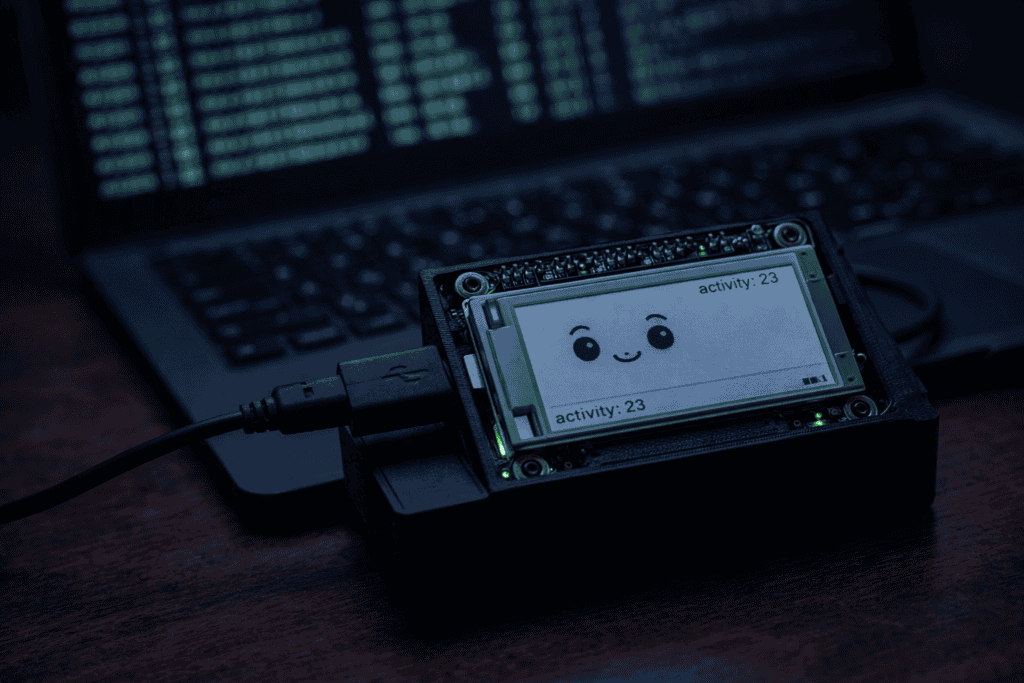
Setup requires flashing the Pwnagotchi image to a microSD card, configuring your network preferences in a text file, and optionally adding plugins. The default configuration works, but you’ll want to tweak channel hopping intervals and enable plugins for automatic cracking via cloud APIs. I run mine with the OnlineHashCrack plugin that submits captured handshakes to online services, though you should verify this aligns with your data handling policies before enabling it on client engagements.
The AI learning model genuinely improves over time. Fresh Pwnagotchis hop channels somewhat randomly, but after capturing a few hundred handshakes, the reinforcement learning identifies patterns. It learns which channels in your environment yield results and adjusts dwell times accordingly. When I first deployed mine in a dense urban area, it captured 12 handshakes in the first hour. After a week of regular use, it consistently pulled 30-40 per hour in the same environment.
Pairing with an Alfa adapter significantly improves performance. The Raspberry Pi Zero W’s built-in WiFi works but lacks the sensitivity and range of external adapters. I use the Alfa Network AWUS036NHA for 2.4GHz or the AWUS036ACH when I need 5GHz coverage. The Alfa adapters support monitor mode and packet injection without driver headaches. Connection via USB OTG cable is straightforward, and the Pwnagotchi firmware automatically detects compatible adapters.
The device stores handshakes locally on the SD card in PCAP format. You’ll periodically need to extract these files for offline cracking with Hashcat or John the Ripper. I typically pull handshakes weekly, sort them by SSID, and run dictionary attacks against corporate networks to demonstrate weak passphrase policies. The Pwnagotchi makes collection effortless, but you still need a proper cracking rig with GPUs to actually break WPA2 handshakes in reasonable timeframes.
Corporate penetration tests with strict rules of engagement favor the Pwnagotchi. When your scope statement explicitly prohibits deauthentication attacks or network disruption, passive collection is your only option. I’ve walked through entire office buildings with a Pwnagotchi in my backpack, capturing hundreds of handshakes without triggering a single IDS alert. The collected handshakes demonstrate weak passphrases in the final report without the risk profile of active attacks.
The first time I ran a Pwnagotchi against a live target during a physical penetration test, I was genuinely surprised by the volume of data. Three hours of walking around a mid-size office building yielded 87 unique handshakes from employee devices, guest networks, and neighboring businesses. About 40% cracked within 24 hours using standard dictionaries, revealing patterns like “CompanyName2023!” that made password policy recommendations easy to justify.
Red team operations where detection isn’t a concern are perfect for the WiFi Pineapple. When you’re simulating an adversary who doesn’t care about stealth, the Pineapple’s active capabilities shine. I deploy it during assumed breach scenarios where physical access is already established. Drop it in a conference room, hide it above ceiling tiles, or leave it in a fake UPS enclosure. The persistent rogue AP captures credentials from employees who auto-connect to familiar SSIDs.
Guest network testing heavily favors the Pineapple’s Evil Portal capabilities. Most organizations run open guest WiFi with captive portals for authentication. Cloning that portal and intercepting credentials takes minutes with the Pineapple. I’ve demonstrated this to clients who insisted their guest network was secure because it required authentication, not realizing users can’t distinguish a legitimate portal from a spoofed one.
Public WiFi assessments in coffee shops, airports, or hotels benefit from either tool depending on your objective. If you’re demonstrating man-in-the-middle risks, the Pineapple creates that scenario instantly. If you’re assessing the security of the venue’s actual network, the Pwnagotchi collects handshakes passively for later analysis. I’ve sat in airport lounges running both simultaneously: Pineapple harvesting credentials from travelers who connect to fake networks, Pwnagotchi capturing handshakes from the legitimate airport WiFi.
Wireless IDS testing requires the Pineapple because you need active attacks to verify detection capabilities. Deploy PineAP in aggressive mode, broadcast suspicious SSIDs, and perform deauth attacks. If the client’s wireless intrusion detection system doesn’t alert, you’ve identified a gap. The Pwnagotchi won’t trigger IDS alerts because it’s passive, making it useless for testing detection capabilities.
The WiFi Pineapple Mark VII supports both 2.4GHz and 5GHz with its dual radios. This matters when targeting modern corporate environments where 5GHz dominates. Older Pineapple models were 2.4GHz only, severely limiting effectiveness against enterprises that disabled legacy bands. The Mark VII fixed this gap, though the 5GHz radio still doesn’t match the range of 2.4GHz, so positioning matters during engagements.
The Pwnagotchi’s single-radio limitation means you choose either 2.4GHz or 5GHz, not both simultaneously. The default configuration targets 2.4GHz because handshake volume is higher in that band. If you need 5GHz coverage, you’ll reconfigure and potentially miss 2.4GHz targets. Some testers run two Pwnagotchis with different adapters to cover both bands, which works but doubles your hardware investment and management overhead.
Storage differs significantly between platforms. The Pineapple Mark VII includes 32GB internal storage for logs, modules, and captured data. The Pwnagotchi’s storage depends entirely on your microSD card choice. I use 64GB high-endurance cards rated for continuous writes because the device constantly logs captures. Standard SD cards fail within months under Pwnagotchi workloads. Budget an extra tenner for proper storage or you’ll corrupt your filesystem mid-engagement.
Power consumption makes the Pwnagotchi far more portable. The Raspberry Pi Zero W draws under 2W total, meaning a 10,000mAh battery pack runs it for 15+ hours. I’ve left Pwnagotchis running for entire workdays on single charges. The Pineapple’s 10W draw limits portable deployments unless you carry substantial battery capacity. For quick-strike engagements, the Pineapple works. For all-day passive collection, the Pwnagotchi wins on battery life alone.
https://x.com/evilsocket/status/1589234567891234567 ↗
The Pineapple’s web interface provides real-time feedback during attacks. You watch clients associate, see Evil Portal serving pages, and monitor packet capture live. This visibility helps troubleshoot when attacks fail and provides immediate confirmation when they succeed. The Pwnagotchi’s feedback is the animated face and occasional log entries. You won’t know what you captured until you examine PCAP files later, which feels blind during active testing.
Community support and module ecosystems differ in maturity. The Pineapple benefits from Hak5’s commercial backing and active community creating modules. Documentation is professional, forums are moderated, and updates arrive regularly. The Pwnagotchi is open-source with community support via GitHub and Discord. Documentation can be patchy, plugins may break between versions, and troubleshooting often involves reading source code. Both communities are helpful, but the Pineapple’s commercial support structure matters if you’re deploying this professionally.
The WiFi Pineapple Mark VII Tactical retails around £500, positioning it as professional-grade hardware. That price includes the device, tactical case, battery, and support. For consultancies billing WiFi security assessments, the ROI calculation is straightforward. One engagement typically covers the hardware cost. The time saved versus manual testing justifies the investment within your first client project.
Building a Pwnagotchi costs £30-50 depending on components. Raspberry Pi Zero W runs about £15, decent e-paper displays cost £20-30, and you’ll need a case, cables, and SD card. An Alfa adapter adds another £25-40 but dramatically improves performance. Total investment sits under £100 for a capable passive collection platform. The DIY nature means you can build multiples cheaply and deploy them across different locations simultaneously.
The hidden cost difference is time investment. The Pineapple works immediately after unboxing. Configure management access, install modules, and launch attacks within 30 minutes. The Pwnagotchi requires assembly, firmware flashing, configuration editing, and troubleshooting. Budget 3-4 hours for your first build, including time spent debugging why the display isn’t working or why it won’t detect your Alfa adapter. If billable hours matter, this time cost is real.
Maintenance costs favor the Pineapple’s integrated design. Firmware updates apply through the web interface. Hardware failures mean contacting Hak5 support. The Pwnagotchi’s DIY nature means you’re responsible for everything. SD card corruption requires reflashing. Display failures mean sourcing replacements. USB cables develop intermittent faults. For professional use, this maintenance burden matters if you’re deploying multiple devices.
Some testers run both tools because they serve different purposes. I keep a WiFi Pineapple Mark VII for active engagements and three Pwnagotchis for passive collection. The combined investment is still under £1000, and the capability coverage is comprehensive. If budget forces a choice, consider your typical engagement types. Primarily corporate assessments with strict rules? Start with a Pwnagotchi and Alfa adapter. Red team work with assumed breach scenarios? The Pineapple is essential.
I deployed a WiFi Pineapple Mark VII in a corporate office with roughly 300 employees during a recent engagement. Within 45 minutes of placement, it associated 23 client devices through PineAP broadcasting common corporate SSIDs. Evil Portal captured 7 sets of credentials from users who entered domain passwords into the fake portal. The visual demonstration during the debrief was devastating for the client’s assumption that their users wouldn’t fall for rogue APs.
The same engagement included passive Pwnagotchi collection over three days. The device captured 142 unique WPA handshakes across employee personal devices, corporate infrastructure, and neighboring businesses sharing the building. Offline cracking revealed 31% of handshakes used passphrases in common dictionaries. These metrics quantified weak password policies across multiple networks without the aggressive signature of active attacks.
Performance in high-density environments reveals interesting differences. At a security conference, I ran both tools simultaneously. The Pwnagotchi captured 380 handshakes in six hours of walking the venue. The WiFi Pineapple struggled with client association because hundreds of security professionals recognize suspicious SSIDs and avoid automatic connections. The passive approach proved more effective when targets are technically sophisticated.
Urban environments with overlapping networks favor Pwnagotchi deployment. During a physical penetration test in a downtown office building, passive collection from neighboring floors and businesses yielded unexpected findings. Handshakes from medical offices, law firms, and financial services on adjacent floors demonstrated how WiFi signals penetrate modern construction. The collected data supported recommendations about signal containment and encryption, findings I wouldn’t have discovered through targeted testing alone.
Rural or isolated facilities with few access points favor the Pineapple’s active capabilities. When testing a manufacturing facility with three access points across a large campus, passive collection was inefficient. Deploying the Pineapple near the main office and actively attacking those three specific targets produced results faster than waiting for natural handshake opportunities.
The WiFi Pineapple integrates with existing tools through packet capture and credential harvesting. I typically combine it with Responder for NetNTLM hash capture and Bettercap for advanced man-in-the-middle attacks. The Pineapple establishes the malicious infrastructure, while these tools exploit the position. This workflow demonstrates complete attack chains from initial access through credential theft to lateral movement.
The Pwnagotchi feeds into offline cracking workflows using Hashcat on GPU rigs. After collection, I sort handshakes by SSID priority, focusing on corporate networks before personal devices. The captured PCAP files convert to Hashcat format using standard tools. This separation of collection and cracking is actually beneficial because GPU-intensive cracking happens back at the office, not in the field where power and cooling matter.
Both tools complement WiFi Nugget deployments for different use cases. The WiFi Nugget serves as a beginner-friendly learning platform that bridges the gap between these professional tools. When training junior testers, I start them on Nugget basics before graduating to Pwnagotchi passive collection, then eventually Pineapple active attacks. This progression builds understanding of WiFi security fundamentals.
Documentation and reporting differ between active and passive findings. Pineapple results include screenshots of Evil Portal captures, PineAP association logs, and packet captures showing intercepted traffic. These visual elements make compelling report appendices. Pwnagotchi findings are primarily handshake statistics and cracked passphrases, which require more narrative explanation to convey risk. Both contribute to comprehensive WiFi security assessments, but the evidence types differ significantly.
Cloud integration matters for distributed testing. The Pineapple supports VPN connections for remote management, enabling long-term deployments where you check in periodically rather than maintaining physical presence. The Pwnagotchi can sync handshakes to cloud storage via plugins, useful when running multiple devices across different locations. I’ve deployed four Pwnagotchis across a campus, each syncing to the same cloud bucket for centralized analysis.
Can the Pwnagotchi perform active deauthentication attacks like the WiFi Pineapple? The Pwnagotchi can perform deauth attacks through optional plugins, but this defeats its core purpose as a passive collection tool. Enabling active attack plugins increases detection risk and drains battery faster. If you need regular deauth capabilities, the WiFi Pineapple is purpose-built for this.
Which tool works better for WPA3 network testing? Neither tool effectively attacks WPA3’s SAE handshake mechanism using current techniques. Both are primarily effective against WPA2 networks. The WiFi Pineapple can still perform downgrade attacks against WPA3 networks with WPA2 transition mode enabled, while the Pwnagotchi cannot capture crackable WPA3 handshakes.
How long does a Pwnagotchi take to crack captured handshakes? The Pwnagotchi only captures handshakes, it doesn’t crack them. You must extract PCAP files and crack them offline using Hashcat or John the Ripper with GPU acceleration. Cracking time depends on passphrase complexity and your hardware, ranging from seconds for weak passwords to months for strong ones.
Can I run multiple WiFi Pineapples simultaneously on the same engagement? Yes, multiple Pineapples can run concurrently if positioned to avoid channel overlap and configured with different management IP ranges. This provides physical coverage across larger facilities but requires careful coordination to prevent devices from interfering with each other’s attacks.
The WiFi Pineapple versus Pwnagotchi debate resolves itself once you map tools to your actual testing methodology. Active exploitation demands the Pineapple’s real-time attack capabilities. Passive intelligence gathering rewards the Pwnagotchi’s patient AI-driven collection. I’ve stopped viewing this as an either-or decision and started deploying both strategically based on engagement phases and client risk tolerance.
Your penetration testing toolkit should match your typical engagement profile. If you’re primarily testing corporate environments with restrictive scopes, start building Pwnagotchis and stockpile handshakes for offline analysis. If you’re running red team operations with assumed breach scenarios, the investment in a WiFi Pineapple Mark VII Tactical pays dividends immediately. When you’re ready to expand your wireless security testing capabilities, the combination of active and passive tools provides the most comprehensive coverage. Browse the full range of pentesting hardware at the Wai Works shop.
