
You’ve got $60 and a smart home full of devices that the vendor hasn’t patched since 2021. The obvious move is a proper Android pentesting rig , except the obvious choice, a flagship Android phone with a clean bootloader, costs three times what the target hardware is worth. So you do what red teamers have always done: you make do with what’s available, and you make it work.
The Amazon Fire tablet is, on paper, a content consumption device locked to Amazon’s ecosystem. In practice, it’s a quad-core ARM board running a modified Android fork, with a battery that outlasts most field ops, available new for under $60 on a bad day and half that refurbished. It has USB OTG support, Wi-Fi, Bluetooth, and a chipset that’s been well-documented by the Android modding community for years. The security community has just been slow to catch up to what the modding scene figured out a long time ago.
This isn’t a guide for deploying a Fire tablet as your primary red team asset. It’s a guide for building a cheap, expendable, surprisingly capable IoT testing platform , and doing it properly, not with half-baked steps that leave you with a bricked $50 doorstop.
IoT testing has a physical access problem that most network pentests don’t. You’re often working in environments where losing or damaging gear is a real possibility — cramped server rooms, attics running smart building systems, outdoor edge deployments. Sending a $1,200 phone into that environment is a choice. Sending a $50 tablet you picked up on sale is a different calculation entirely.
There’s also the operational segmentation argument. A dedicated testing device that never touches your personal accounts, corporate VPN, or anything sensitive is good hygiene. Fire tablets, with their locked-down Amazon ecosystem stripped out post-root, become relatively clean ARM devices. You control what’s on them. That matters.
The hardware itself isn’t embarrassing. The Fire HD 8 (10th or 12th gen) runs a MediaTek Helio P60T — the same chip family powering mid-range Androids from major manufacturers. It handles Termux, Python 3, Wireshark captures, and lightweight Metasploit console sessions without complaint. It’s not running Burp Suite’s full Spider against a large application, but that’s not what you’re using it for.
FireOS is Android with Amazon’s interests baked in at a fairly deep level. The Google Play Services layer is absent, the bootloader is locked by default, and Amazon’s OTA update mechanism will cheerfully undo your work if you let it. You’re not pentesting anything meaningful on a stock Fire tablet , the tooling just isn’t there.
Rooting varies by generation. The Fire HD 8 (2022, 12th gen) is currently the most accessible — the XDA root thread for this generation is well-maintained and the method is stable. Earlier generations (10th gen, 2020) have a longer track record and more documented edge cases. What you want to avoid: the Fire HD 10 Plus for this use case — it costs more, has a different chipset, and the root situation has been historically messier without proportional benefit for field testing.
The broad process: enable ADB over USB (buried in Developer Options, which itself requires tapping Build Number seven times — Amazon didn’t reinvent anything here), sideload the root package via the appropriate exploit chain for your generation, and immediately disable OTA updates. Then install Magisk for module management. This gives you a stable base.
One thing people skip and regret: take a full ADB backup before you start. adb backup -apk -shared -all -f fire_backup.ab won’t capture everything on modern Android versions, but it’s better than starting from zero if something goes sideways.
Once you have root and Magisk running, the Amazon Fire tablet hacking tools setup begins in earnest. The ecosystem here is Termux, not NetHunter — and that distinction matters.
Kali NetHunter officially supports a limited device list. The Fire tablet isn’t on it. You can get a partial NetHunter install working on rooted Fire tablets through community builds, and some people do, but it introduces complexity and instability that isn’t worth it for most IoT testing workflows. Termux with the right packages is more reliable and more than sufficient.
Install Termux from F-Droid, not the Play Store version , the Play Store build stopped receiving updates and has known dependency issues. Once in, your initial setup looks roughly like this:
pkg update && pkg upgradepkg install python nmap git openssh curl wget netcat-openbsd
From there, the Amazon Fire tablet hacking tools setup branches based on what you’re actually testing. For IoT specifically, the relevant additions are:
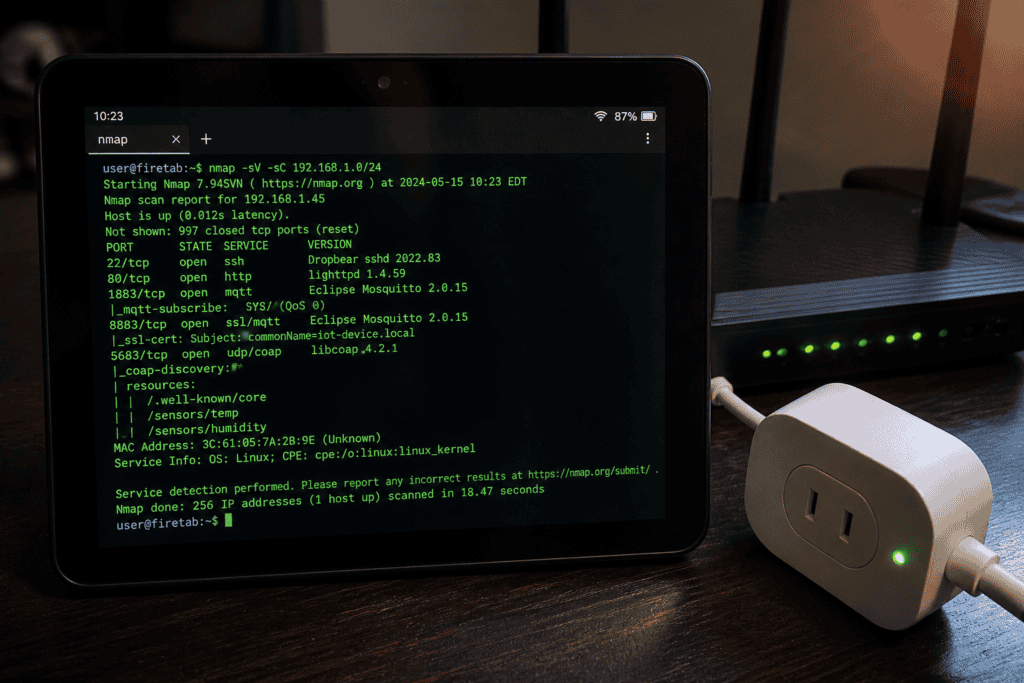
Network reconnaissance: nmap with NSE scripts covers the basics. The IoT-specific NSE scripts , iot-info, banner grabbing, Shodan-adjacent fingerprinting , are worth pulling. Combine with masscan (compile from source in Termux, it works) for faster sweeps on larger segments.
MQTT and CoAP: Most IoT environments are running MQTT. mosquitto_pub and mosquitto_sub are available via pkg. Eclipse’s Mosquitto client lets you enumerate brokers, check for unauthenticated access (still embarrassingly common in 2024), and test for topic-level permission failures. For CoAP, coap-cli via npm or the Python aiocoap library both install cleanly in Termux.
Bluetooth and BLE: This is where the Fire tablet’s hardware matters. Internal Bluetooth varies by generation — the HD 8 supports BLE. For serious BLE work you’ll want an external adapter via USB OTG (more on that shortly), but for basic GATT enumeration and advertisement sniffing, the internal radio with gatttool or bluetoothctl from Termux is functional. The MITRE ATT&CK for ICS framework documents the kinds of wireless lateral movement you’re modeling here — it’s a useful reference for scoping what you actually need to test.
Web interfaces: Half of IoT vulnerabilities live in web management interfaces. A rooted Fire tablet running a mobile browser with a CA certificate installed (Magisk makes system CA installation clean) is a perfectly serviceable Burp Suite proxy client. Run Burp on your laptop, point the tablet’s Wi-Fi proxy settings at it, and you’re intercepting traffic from the tablet’s browser in 90 seconds.
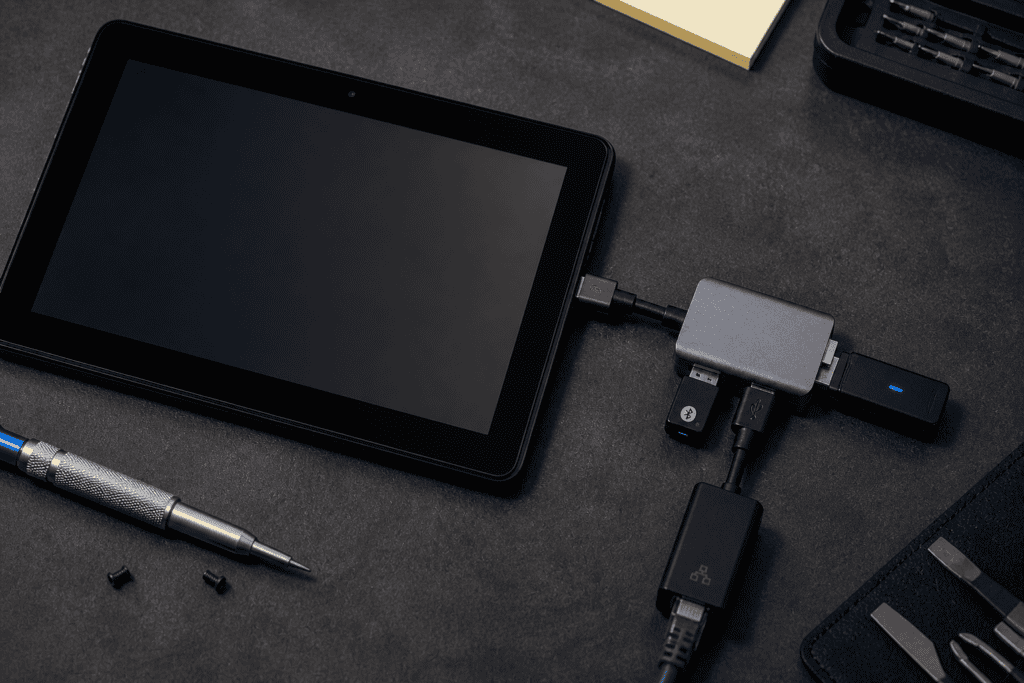
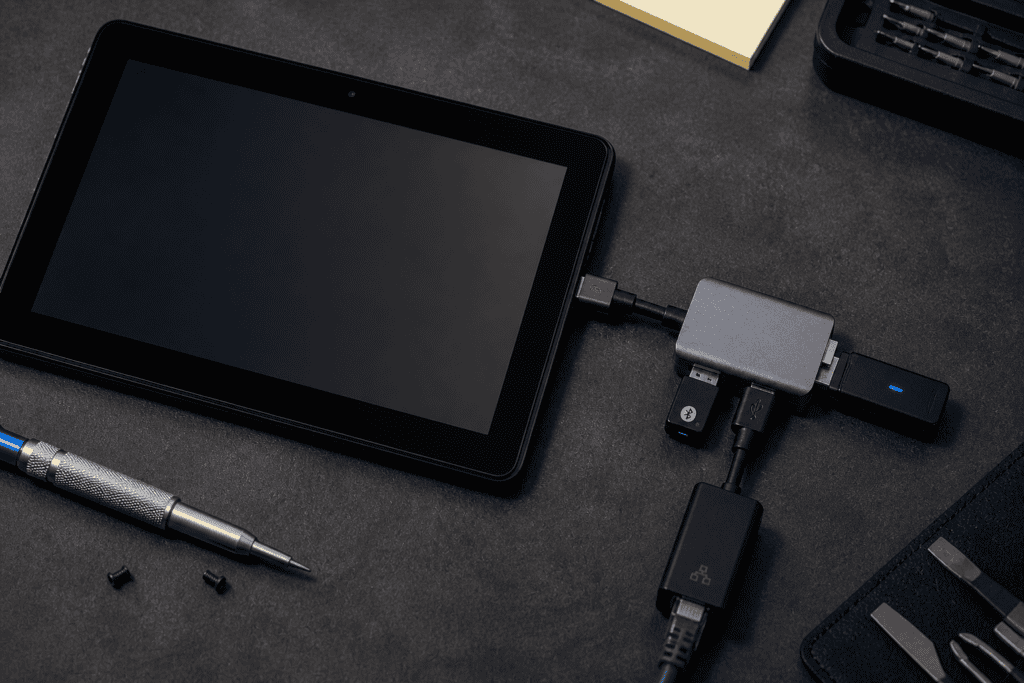
The Fire tablet’s USB-C port supports OTG, and this is where the Amazon Fire tablet hacking tools setup gets genuinely interesting. A cheap USB-C hub with OTG support opens the hardware attack surface considerably.
A Wi-Fi adapter in monitor mode is the obvious one. The Alfa AWUS036ACH is the default recommendation — it’s well-supported in Linux (and Termux via kernel modules, with some configuration) and handles packet injection reliably. Without monitor mode support on the internal adapter, any Wi-Fi analysis work requires the external dongle. This includes passive sniffing in environments where you need to capture 802.11 management frames from IoT devices during pairing sequences — a surprisingly productive attack vector that gets ignored because it requires physical proximity.
A USB-to-Ethernet adapter lets you drop the tablet directly onto a wired segment — useful in environments where IoT devices are segregated to a dedicated VLAN and you need physical access to that segment to enumerate it properly.
A hardware UART adapter (USB-to-serial, 3.3V — don’t fry anything) turns the tablet into a console terminal for devices that expose serial interfaces. More IoT devices than you’d expect have exposed debug headers. Combine with a serial terminal app in Termux and you’re reading boot logs, potentially dropping into unauthenticated root shells on devices that never expected this level of scrutiny.
Theory is fine. Here’s how a typical IoT assessment flow looks on this platform in practice.
You arrive on-site. The target environment is a commercial building management system — HVAC, access control, lighting — running across a flat network with some VLANs that turn out to be decorative. The tablet goes on the network via OTG Ethernet. Nmap sweep runs in Termux. You’ve got 40+ devices responding, a mix of Modbus TCP, MQTT brokers, and web interfaces.
Two MQTT brokers come back without authentication. You subscribe to # wildcard topic and start seeing plaintext telemetry from every sensor in the building. This is not a novel finding — it’s exactly the kind of misconfiguration that ends up in CISA advisories quarterly — but it lands differently when you’re watching it happen in real time on a device that cost less than dinner.
The web interface on the HVAC controller loads fine in the tablet browser, proxied through Burp on your laptop. Session token is 32 characters but not rotated on login — classic. The cheap Android pentesting tablet just made that finding visible in under an hour.
This is the workflow. It’s not glamorous. It works.
The Amazon Fire tablet hacking tools setup has real constraints and pretending otherwise wastes your time.
Kernel-level tooling is restricted without a custom kernel, which is a significant project. Things that require specific kernel modules — certain Wi-Fi injection capabilities, USB gadget mode for BadUSB-style attacks, raw packet injection below the IP layer — are either unavailable or require builds that introduce instability. If you need that, you need a NetHunter-supported device or a dedicated SBC.
Storage is limited. The base Fire HD 8 ships with 32GB. MicroSD expansion works for data storage but Termux packages live in internal storage. You’ll hit constraints if you’re pulling large wordlists, running heavy Python environments, and storing packet captures simultaneously. Manage it actively or you’ll hit a wall mid-engagement.
Amazon’s OTA update mechanism is persistent and annoying. If it fires while you’re in the field, it can undo root depending on your configuration. Disable it completely, both at the system level and by blocking Amazon’s update endpoints at the network level if you can. This isn’t optional.
Battery life is genuinely good — the HD 8 routinely clears 8–10 hours of actual use, more on lighter loads. This is probably the platform’s most underrated advantage over using an older Android phone.
Nobody is retiring their main pentesting rig for a $60 Amazon tablet. That’s not the argument. The argument is that a rooted Fire HD 8 with a proper Amazon Fire tablet hacking tools setup is a legitimate, expendable, purpose-built IoT testing platform — one that you can leave running passively on a segment overnight, hand off to a junior team member for initial enumeration, or literally leave on-site without losing sleep over it.
Verizon’s 2024 DBIR noted that system intrusion remains the top pattern in attacks against IoT and OT environments. Most of those intrusions start with exactly the kind of basic misconfiguration — open brokers, default credentials, unencrypted management interfaces — that this setup surfaces in the first pass. The tool doesn’t need to be expensive. The methodology does need to be sound.
Build the stack. Know its limits. Use it for what it’s good at. If you want to see the kind of hardware and tooling that rounds out a proper mobile testing kit , the adapters, the interfaces, the things that fill the gaps this setup leaves , see what we carry.
