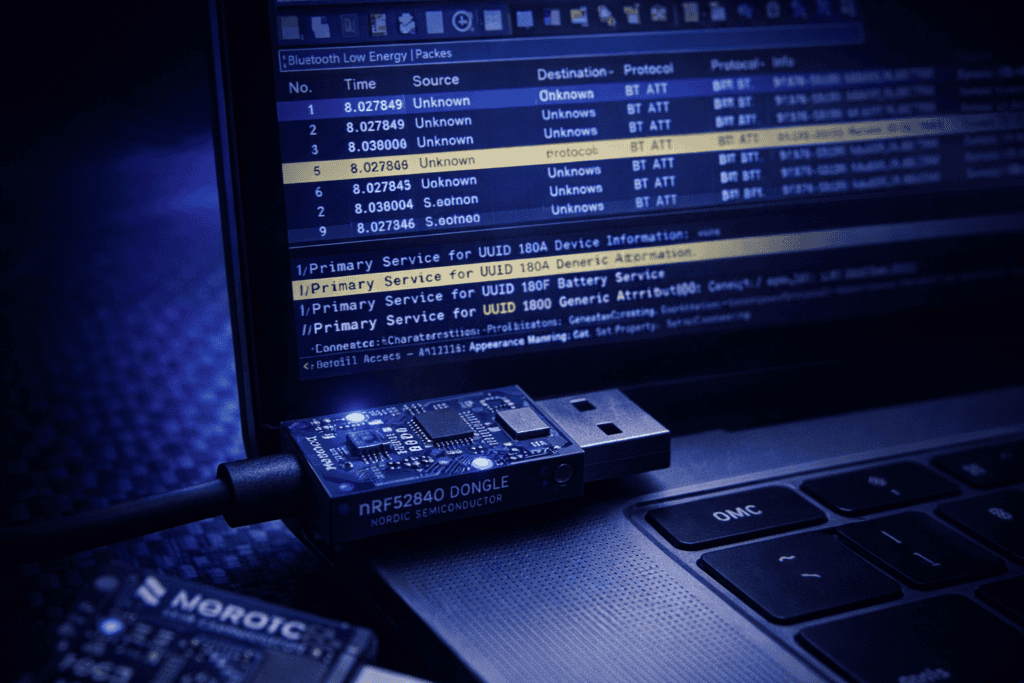
You’re staring at a smart lock that “can’t be hacked.” Marketing says military-grade encryption. Reality? The mobile app pairs via Bluetooth Low Energy, and you’ve got about thirty seconds before the client demo to prove there’s a vector. I spent my first BLE engagement clicking through nRF Connect screenshots like an idiot before realizing I needed actual packet-level visibility. Wireshark plus a proper sniffer dongle changed everything.
Most Bluetooth pentesting tutorials either skip the setup hell or assume you’re already running Ellisys hardware. This guide walks through the workflow I actually use nRF52840 dongles, Wireshark profiles, and the methodology that works when you’re testing smart home devices, medical wearables, or any IoT gear using BLE.
Bluetooth Low Energy dominates IoT. Fitness trackers, door locks, medical sensors, industrial monitors—anything battery-powered and wireless probably speaks BLE. Unlike classic Bluetooth, BLE uses connection-oriented communication with defined roles: central devices (usually phones) and peripherals (sensors, actuators). The GATT protocol structure means services and characteristics are organized hierarchically, which sounds great until you realize most manufacturers leave debug UUIDs exposed or implement zero encryption on critical commands.
I’ve found authentication bypasses in “enterprise-grade” smart locks because the unlock command lived in an unencrypted GATT characteristic. The mobile app enforced PIN verification, but a direct BLE write bypassed it entirely. You only see this stuff at the packet level. Tools like nRF Connect give you GATT browsing, but they won’t show you timing attacks, malformed advertisement parsing bugs, or pairing handshake weaknesses. For that, you need Wireshark capturing raw link-layer frames.
The nRF52840 dongle is purpose-built for this. Nordic Semiconductor designed it specifically for BLE protocol analysis, and at under £10 it’s absurdly accessible compared to professional sniffers that run thousands. You flash the sniffer firmware once, configure Wireshark to read its capture pipe, and suddenly you’ve got visibility into advertisement packets, connection requests, attribute reads/writes, and security manager protocol exchanges. When combined with tools like the BLEShark Nano for active fuzzing, the workflow becomes genuinely dangerous.
The Nordic nRF52840 comes as a bare USB dongle—no case, just the PCB. First step: don’t lose it. I keep mine in an anti-static bag because I’ve fried two from static discharge during field work. The dongle has an RGB LED that’ll glow red when you plug it in initially. That’s the bootloader waiting for firmware.
You need Nordic’s nRF Sniffer firmware, distributed through their official GitHub releases or packaged with the nRF Connect SDK. Download the latest .hex file for the nRF52840 dongle (not the DK development kit version—wrong target). Flash it using nrfutil, Nordic’s command-line tool. On Linux: nrfutil dfu usb-serial -pkg sniffer_nrf52840_4.1.1.zip -p /dev/ttyACM0. Windows users can use the nRF Connect for Desktop programmer app if they’re allergic to terminals.
Once flashed, the LED turns blue. The dongle now presents as a serial device that speaks Nordic’s sniffer protocol. Wireshark doesn’t natively understand this—you need the nRF Sniffer plugin, which acts as an extcap interface. Install it by copying the Python scripts from Nordic’s distribution into Wireshark’s extcap folder (~/.config/wireshark/extcap/ on Linux, %APPDATA%\Wireshark\extcap\ on Windows). Restart Wireshark, and you’ll see “nRF Sniffer for Bluetooth LE” as a capture interface option.
The first time I ran this against a Bluetooth speaker, I forgot to set the advertising channel filter. Wireshark filled with garbage from every device in the office. Pro tip: start captures on channels 37, 38, and 39 simultaneously—those are the BLE advertising channels. Once you identify your target’s MAC address from advertisements, follow the connection to data channels.
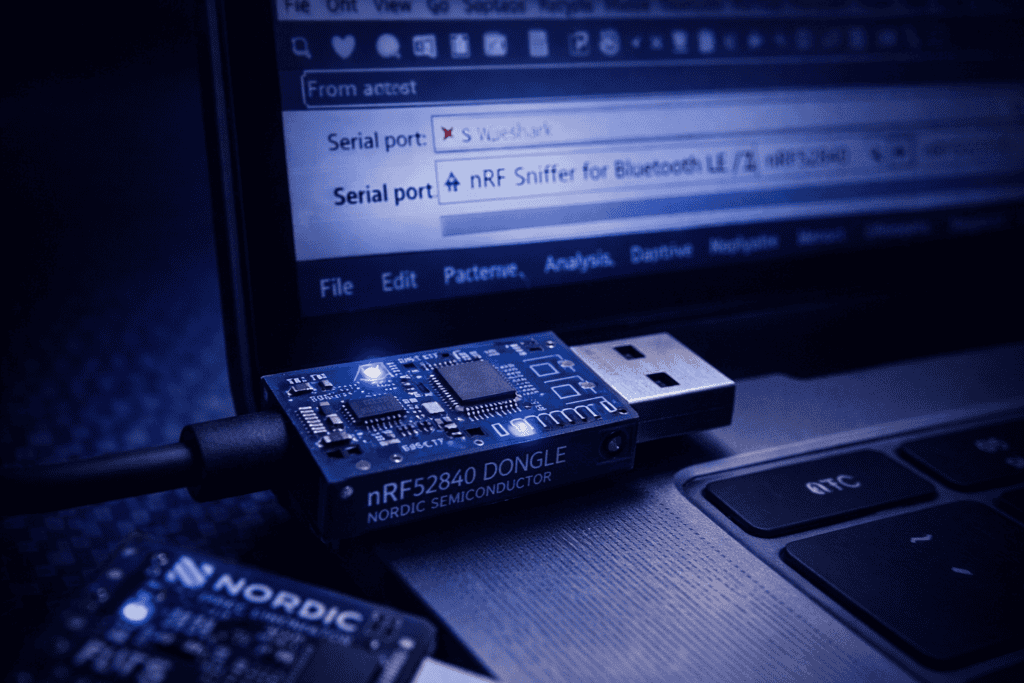
Wireshark’s default Bluetooth dissectors are decent but need tuning for BLE work. I maintain a custom profile specifically for BLE captures with filters and column layouts optimized for GATT traffic. Create a new profile (Edit → Configuration Profiles → New) and name it something like “BLE_Analysis.”
Column configuration matters. I add: Frame number, Time delta, Source BD_ADDR, Destination BD_ADDR, BTL2CAP length, ATT Opcode, ATT Handle, and Info. This gives you instant visibility into which device is reading/writing which GATT handle and when. Most default Wireshark setups hide ATT handles in nested packet details, which is useless when you’re trying to map a mobile app’s behavior to specific characteristics.
Display filters become your best friend. btle shows all BLE traffic. btatt narrows to ATT protocol (GATT layer). btle.advertising_address == xx:xx:xx:xx:xx:xx isolates a specific device. btatt.opcode == 0x12 shows write requests. I keep a text file of common filters because typing btatt.handle == 0x002a && btatt.opcode == 0x52 from memory during a live test is asking for typos.
Decryption is the annoying part. If the BLE connection uses LE Secure Connections pairing, Wireshark can decrypt traffic if you provide the pairing keys. The nRF52840 sniffer captures the pairing handshake, but you need to extract the Long Term Key (LTK) and load it into Wireshark’s Bluetooth preferences. In practice, I only bother with this when testing proprietary protocols. Most security issues I find are pre-encryption (advertisement parsing bugs, unencrypted characteristics) or post-authentication (authorization bypass in GATT writes).
When I first set up encrypted capture decryption, I burned through two hours before realizing the LTK format in Wireshark preferences requires specific byte ordering. Nordic’s documentation buries this in a footnote. Save yourself the pain: if decryption isn’t working, verify your LTK is little-endian hex without separators.
Here’s the methodology I run against any new BLE device. Target: a consumer smart lock that pairs with a mobile app. Goal: identify attack surface, find privilege escalation or authentication bypass vectors.
Start with passive reconnaissance. Power on the lock, start your nRF52840 capture on advertising channels, and watch advertisements. Most BLE devices broadcast their presence continuously. You’ll see ADV_IND packets containing the device name, manufacturer data, and service UUIDs. Smart locks often advertise custom UUIDs that hint at functionality—one I tested literally advertised a service called “AdminControl” in plaintext. The lock used UUID 0000beef-0000-1000-8000-00805f9b34fb for administrative commands. Subtle.
Next, connect via the legitimate mobile app while capturing. You’ll see the connection sequence: CONNECT_REQ from the phone, CONNECT_RSP from the lock, then GATT service discovery (Read By Group Type requests). The app queries available services and characteristics, then subscribes to notifications on certain handles. Map every handle to its UUID and properties (read, write, notify). I use a spreadsheet because remembering that handle 0x0042 is the “Unlock Command” characteristic two hours into testing isn’t happening.
Now for the fun part: replay and manipulation. Identify a GATT write that triggers interesting behavior—unlocking, changing user codes, whatever. In my smart lock test, handle 0x0038 accepted a write of 0x01 to unlock. I disconnected the legitimate app and used gatttool to write directly: gatttool -b AA:BB:CC:DD:EE:FF --char-write-req -a 0x0038 -n 01. The lock opened. No authentication check at the GATT layer—all security lived in the mobile app, which the BLE stack completely bypassed.
Check for timing-based attacks too. Some devices implement lockout delays client-side but not in the BLE firmware. I tested a medical device that rate-limited pairing attempts in its Android app but accepted pairing requests instantly over BLE. Brute-forcing a 6-digit PIN took under 90 seconds because there was no server-side throttling.
Advanced testers should fuzz advertisement packets and malformed GATT writes. Tools like Braktooth (CVE-2021-28139 family) showed entire classes of parsing vulnerabilities in Bluetooth stacks. A malformed extended advertisement with invalid length fields can crash devices or trigger memory corruption. For active fuzzing workflows, the Specter Pro gives you programmable control over BLE frames that passive sniffing can’t match.
Authentication bypass via unprotected GATT characteristics is the number one finding. Developers implement authentication in their mobile app but forget that BLE is a wireless protocol anyone can access. I’ve seen door locks, garage openers, and industrial sensors with critical commands in world-writable characteristics. The fix is proper pairing enforcement and encryption requirements at the GATT server level, but most firmware devs don’t configure this.
Information disclosure through advertisements is hilariously common. Medical devices broadcasting patient identifiers in manufacturer data fields. Smart home hubs advertising network SSIDs. One fitness tracker I tested included the user’s email address in a custom advertisement payload—no connection required, just sniff advertisements. This violates GDPR in spectacular fashion and makes targeted social engineering trivial.
Insecure pairing methods plague consumer IoT. “Just Works” pairing provides zero MITM protection. Numeric comparison is better but still vulnerable if users blindly accept prompts. Passkey entry is strongest but requires device input capability most IoT peripherals lack. I recommend LE Secure Connections with out-of-band (OOB) authentication for high-security applications, but in practice I’ve never seen it outside medical and automotive contexts.
Replay attacks work more often than they should. BLE doesn’t mandate nonces or timestamp verification. If a write command succeeds once, it’ll probably succeed again unless the developer explicitly implemented replay protection. I’ve replayed “unlock” commands hours after initial capture against multiple devices. The MITRE ATT&CK framework lists this under T1557 (Adversary-in-the-Middle), and it’s trivial with Wireshark captures and gatttool.
The nRF52840 sniffer is passive—you observe traffic but don’t inject. For active testing, you need different tools. gatttool ships with BlueZ on Linux and handles basic GATT operations (connect, read, write, subscribe). The syntax is clunky, but it works for quick PoCs. btlejack gives you more power: connection hijacking, jamming, and sniffing with BBC Micro:bit hardware (cheaper than nRF52840 but less reliable in my experience).
For comprehensive BLE pentesting, I rotate between three hardware platforms depending on the engagement. The nRF52840 BLE sniffer handles passive captures and protocol analysis. The BLEShark Nano runs active scans, fuzzing, and GATT enumeration with a portable form factor—perfect for field work. The Specter Pro brings scriptable attack automation and works as both sniffer and active attacker, which is overkill for basic tests but essential when you’re analyzing proprietary protocols or need to demonstrate complex attack chains.
Python libraries like bleak and bluepy let you script custom tests. I’ve written automation that connects to a BLE device, enumerates all characteristics, attempts writes to every writable handle, and logs results. This catches misconfigurations faster than manual testing. For firmware analysis, pull the device flash if possible and reverse-engineer the BLE stack—Nordic’s SoftDevice implementations have known quirks, and Cypress/Infineon PSoC stacks have different attack surfaces.
Ubertooth One used to be the go-to for BLE sniffing but feels dated now. It handles classic Bluetooth better than BLE, and the nRF52840 captures BLE 5.0+ features that Ubertooth misses. If you’re testing classic Bluetooth (SPP, A2DP), Ubertooth is still relevant. For modern BLE-focused work, I don’t bother.
A practical BLE pentesting setup needs variety. You want multiple dongles (nRF52840, CSR-based adapters, Intel/Realtek laptop Bluetooth) because different chipsets handle malformed packets differently. I keep three nRF52840 dongles: one for sniffing, one flashed with active attack firmware, one as a backup because I will lose one mid-engagement.
Test targets matter more than gear. Build a collection of vulnerable IoT devices: cheap smart locks from Amazon, fitness trackers, BLE keyboards, smart bulbs. The Bluetooth Special Interest Group (SIG) maintains a qualified products list if you want to test specific chipset/stack combinations. Medical devices are high-value targets if you can source them legally (eBay, medical surplus auctions), but expect heavy scrutiny if you publish findings.
Documentation is criminally underrated. I maintain a notes database mapping device models to BLE characteristics, UUIDs, and known vulnerabilities. When I test a new smart lock, I first check if it’s a rebrand of something I’ve already analyzed. Most consumer IoT is white-labeled Tuya/Shenzhen hardware with identical BLE stacks. Recognizing GATT service patterns saves hours.
Software-wise: Kali Linux gives you BlueZ, gatttool, hcitool, and btlejack out of the box. Wireshark needs manual plugin installation but runs fine. For Windows testers, the nRF Connect for Desktop suite handles most tasks, though I find the Linux tooling more flexible. According to the OWASP IoT Testing Guide, mobile app analysis should run parallel to BLE testing—decompile the APK/IPA and map app behavior to observed BLE traffic.
gatttool or BLEShark Nano validates exploitability through direct GATT writes and fuzzingWhat’s the difference between BLE sniffing and BLE scanning? Scanning uses tools like hcitool lescan or nRF Connect to discover devices and enumerate GATT services—you’re actively connecting. Sniffing captures raw packets passively without connecting, showing all BLE traffic in range including data from devices paired to other hosts. Wireshark with nRF52840 is sniffing; gatttool connecting to read characteristics is scanning.
Can I sniff encrypted BLE traffic with the nRF52840? Yes, but you need pairing keys. The nRF52840 captures encrypted packets, but Wireshark can’t decrypt them without the Long Term Key (LTK) from the pairing process. If you control one endpoint (e.g., testing your own app), you can extract keys and configure Wireshark decryption. Against third-party devices, you’re limited to analyzing unencrypted metadata unless you exploit pairing vulnerabilities.
Why use nRF52840 instead of my laptop’s built-in Bluetooth? Built-in adapters usually can’t enter promiscuous mode for BLE—they only see traffic directed at them. The nRF52840 with sniffer firmware captures all BLE packets on configured channels regardless of destination address, including advertisements, connection requests, and data from nearby devices you’re not paired with. It’s the difference between seeing only your emails versus reading everyone’s network traffic.
What BLE security testing is legal for security researchers? Test your own devices freely. For client engagements, get explicit written authorization covering BLE testing scope. “Responsible disclosure” testing of devices you don’t own lives in legal gray area—sniffing your neighbor’s smart lock traffic likely violates UK Computer Misuse Act or US CFAA even if you don’t connect. Conference badges and CTF hardware are fair game. When in doubt, consult a lawyer specializing in security research.
BLE pentesting stops being theoretical the moment you pop your first smart lock with a replayed GATT write. The methodology here—passive sniffing with nRF52840, Wireshark analysis, active validation with direct GATT commands—works across IoT categories. I’ve used identical workflows against medical devices, industrial sensors, automotive systems, and consumer smart home gear. The attack surface patterns repeat because most manufacturers use the same reference implementations without hardening.
Start with the basics: set up your sniffer, capture traffic from a cheap BLE device, map GATT services, and attempt unauthorized writes. Once you’ve bypassed authentication on a £15 smart bulb, scaling to complex engagements becomes pattern recognition. If you’re building your toolkit for professional security work, grab the fundamentals first and expand into specialized hardware like active attack platforms as your methodology matures. Explore pentesting hardware that fits real-world workflows or browse the full range of BLE testing tools at the Wai Works shop.

