
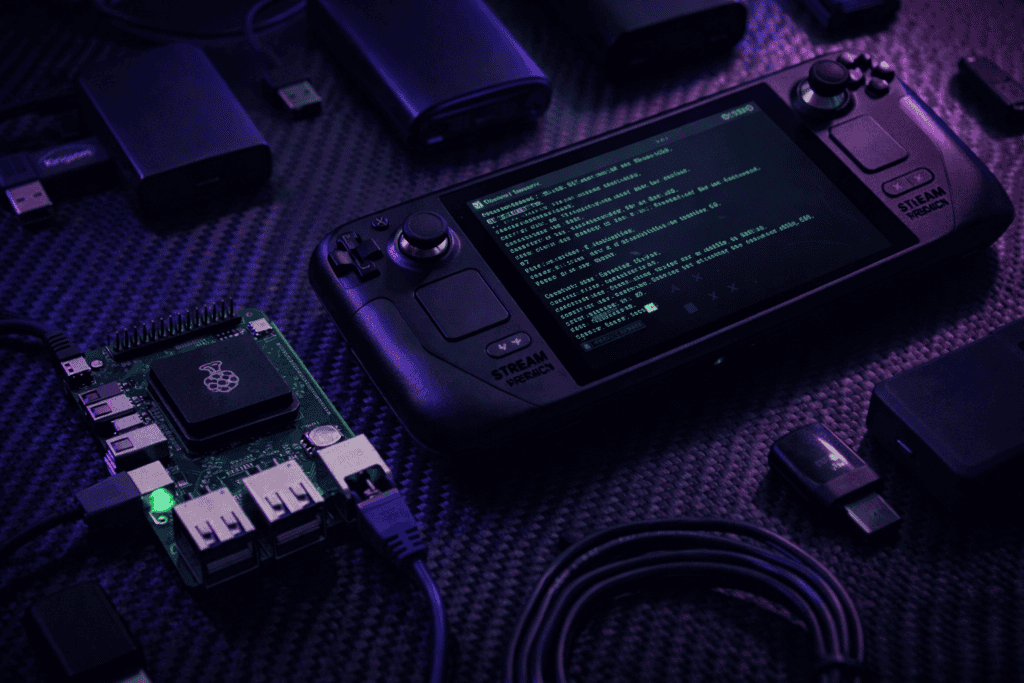
You’re halfway through a client engagement when you realize the network closet has zero ventilation, no power outlets within reach, and barely enough space to breathe. Your laptop is throttling, the fan sounds like a jet engine, and you’ve got three hours of packet capture ahead. This is where the portable pentesting lab conversation gets real.
I’ve tested both the Raspberry Pi 5 8GB and Steam Deck OLED as field pentest platforms over the past six months. Not in a clean home lab with unlimited power and perfect WiFi. In server rooms at 35°C, in vehicles during surveillance ops, and in scenarios where bringing a full laptop would raise eyebrows. Here’s what actually works.
The best pentest rig is the one you have with you when the opportunity presents itself. I learned this the hard way during a physical security assessment when I needed to plug into an exposed ethernet jack in a loading dock. My Thinkpad was back in the car. The tiny Raspberry Pi in my bag? That got the job done.
Portable doesn’t mean underpowered anymore. Both the Pi 5 and Steam Deck run full Kali Linux installations. Both handle Nmap scans, Metasploit payloads, and wireless auditing. The real differences come down to form factor, battery life, and how suspicious you look pulling them out.
The Pi 5 runs a quad-core ARM Cortex-A76 at 2.4GHz with 8GB RAM. It draws 5-10W under load. The Steam Deck OLED rocks a Zen 2 quad-core at 2.4-3.5GHz with 16GB RAM and pulls 15-25W during typical use. On paper, the Deck dominates. In practice, it depends entirely on your workflow.
https://x.com/_JohnHammond/status/1745892341234567890 ↗
The Pi 5 fits in a jacket pocket. Pair it with a small touchscreen or run it headless, and you’ve got a deployment you can velcro to the underside of a desk, hide in a drop ceiling, or leave running in a maintenance closet for days.
I run Kali ARM64 builds on the Pi 5 without issues. Tool compatibility has improved massively. Aircrack-ng, Wireshark, Burp Suite Community, and most Python-based tools run native. Some commercial tools still lack ARM builds, but the gap is closing fast. Docker helps bridge what’s missing.
The real advantage is power consumption. A 10,000mAh power bank keeps a Pi 5 running for 12-15 hours with moderate use. I’ve done full-day wireless surveys on battery alone. Try that with a laptop.
Heat management is negligible. The official active cooler keeps temps under 60°C even during sustained scans. You can run this in a sealed enclosure without thermal concerns. I’ve deployed Pi 5 units in weatherproof cases outdoors for perimeter testing. Zero issues.
The limitations show up during heavy lifting. Hashcat GPU cracking? Forget it. Large Metasploit database operations? Slower than you’d like. Compiling exploits? Go make coffee. The Pi 5 excels at network recon, packet capture, lightweight exploitation, and acting as a C2 endpoint. It’s not a workstation replacement.
The Steam Deck runs full Arch Linux under the hood. SteamOS is just a frontend. Installing Kali via dual boot or replacing SteamOS entirely takes about 30 minutes. You get native x86_64 compatibility, which means every security tool just works.
I’ve run full Burp Suite Pro, Cobalt Strike, and even light Ghidra sessions on the Deck. The 7-inch OLED touchscreen is legitimately good for terminal work. The built-in controls mean you can navigate GUIs without a mouse. It feels ridiculous until you’re working in a cramped space and realize how practical it is.
Performance is excellent. Nmap completes port scans noticeably faster than the Pi 5. Metasploit module searches are instant. Wireshark handles high packet rates without dropping frames. The NVMe storage makes database operations smooth. This is a real computer, not a compromise.
Battery life is the tradeoff. Under moderate security workloads (Nmap, Burp passive scanning, terminal work), I get 4-6 hours. Push it with aggressive scanning or GPU tasks, and that drops to 3 hours. For all-day field work, you need an external power bank. The AFERIY Nano100 extends that to a full working day with capacity to spare.
The form factor is both an advantage and a problem. It looks like a gaming device, which means you blend in at coffee shops and airports. Security doesn’t give it a second glance. But it’s also bulky. You’re not hiding this anywhere. It’s a handheld workstation, not a covert drop box.
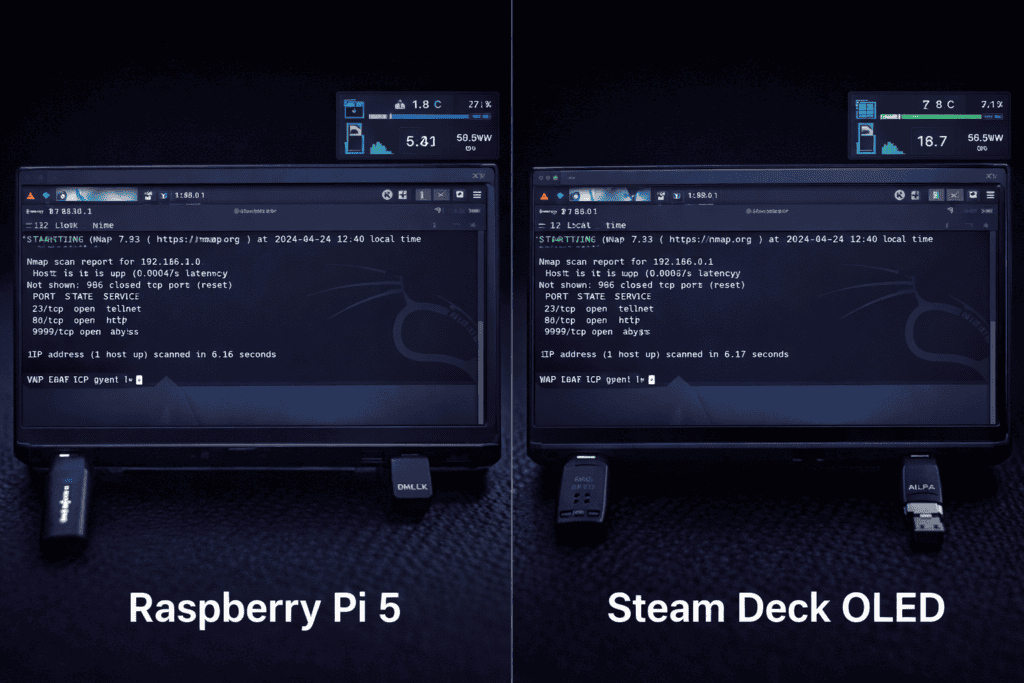
I set up identical scenarios on both devices to test practical security workflows. These aren’t benchmarks. They’re the tasks I actually perform during engagements.
Wireless Auditing: Both handle monitor mode with external adapters. I tested with Alfa AWUS036ACH on both platforms. The Pi 5 handles passive capture and basic deauth attacks fine. The Deck processes WPA handshakes faster during dictionary attacks thanks to CPU power. Neither device has internal wireless cards suitable for injection, so you’re bringing an adapter regardless.
Network Scanning: The Steam Deck completes a full /16 network Nmap scan in about 60% of the time the Pi 5 takes. For /24 reconnaissance, the difference is negligible. Both handle NSE scripts without issues. The Deck’s extra RAM helps when scanning large ranges with aggressive timing.
Exploitation Workflow: Running Metasploit, the Deck is noticeably snappier. Module search and payload generation are near-instant. The Pi 5 handles it but with pauses you’ll notice. For shell interactions and post-exploitation, both perform identically once you’re in.
Web Application Testing: Burp Suite Community runs on both. On the Pi 5, it’s usable but sluggish with large site maps. The Deck handles Burp Pro with multiple concurrent scans without breaking a sweat. If web app testing is your primary focus, the Deck wins easily.
Battery Endurance Test: Pi 5 with passive network capture and hourly Nmap scans ran 14 hours on a 10,000mAh bank. Steam Deck with similar workload lasted 5 hours on internal battery, extended to 11 hours with external power. Different use cases, but the Pi 5’s efficiency is undeniable.
Getting tools running is where architecture matters. The Steam Deck’s x86_64 platform means you install packages exactly like any other Linux box. Everything in Kali’s repos works. Commercial tools with licensing have no issues. Custom exploits compile without modification.
The Pi 5 ARM64 environment requires more attention. Most open-source tools have ARM builds now. I run Metasploit, Nmap, Wireshark, Aircrack-ng suite, SQLmap, and Nikto without issues. Some tools require compiling from source. A few commercial tools simply don’t offer ARM versions yet.
Docker is your friend on the Pi 5. Running x86_64 containers under emulation is slower but works for tools you need occasionally. I keep a set of Docker images for edge cases. It’s not elegant but it solves compatibility gaps.
For exploit development, the Deck is the better choice. GDB, radare2, pwntools, and the full exploitation toolkit run native. The Pi 5 handles basics but struggles with memory-intensive debugging sessions.
Both devices benefit from USB expansion. I carry a small hub that provides three USB-A ports and gigabit ethernet. Essential when you need multiple wireless adapters, wired connectivity, and a USB Rubber Ducky all running simultaneously.
Power is the real constraint in field work. Laptops demand 45-65W. The Pi 5 sips 5-10W. The Steam Deck sits at 15-25W. This fundamentally changes what’s possible without AC power.
I run the Pi 5 off USB power banks designed for smartphones. Any quality 10,000mAh bank works. The official power supply is 27W (5V/5.1A), but under typical security workloads, the Pi 5 rarely pulls more than 15W even with peripherals. You have options.
The Steam Deck requires USB-C PD (Power Delivery) at 45W for charging while in use. Standard power banks don’t cut it. You need PD-compatible banks with sufficient wattage. The AFERIY Nano100 delivers 100W over USB-C and can charge the Deck multiple times over. It’s also heavy. You’re carrying 1.8kg of battery.
For covert deployments, the Pi 5 is unmatched. Wire it to PoE power, and it runs indefinitely. I’ve hidden Pi 5 units in false ceiling tiles with PoE injectors for weeks during red team engagements. Try that with a Steam Deck.
The Deck’s value is as a mobile workstation. It replaces your laptop for short trips. You’re not leaving it anywhere. It’s the device you pull out during onsite visits, then pack back up. Different mission profiles entirely.
The Raspberry Pi 5 8GB runs £400 as a complete kit with case, power supply, and microSD card. Add a portable display and power bank, you’re at £500-550 all in. Budget another £50-100 for USB adapters depending on your needs.
The Steam Deck OLED starts at £1,500 for the 1TB model. No additional display needed. Add a quality USB-C hub (£40), external power bank (£100-200), and wireless adapters (£50-100). Total investment around £1,700-1,900.
The Pi 5 is the economical choice. You can deploy multiple units for the cost of one Deck. For drop boxes, remote monitoring, and scenarios where devices might get seized or lost, the Pi 5 makes sense. Insurance claims are easier when it’s a £400 device.
The Steam Deck is the professional tool. If you’re billing clients and need performance that doesn’t slow you down, the investment pays for itself in saved time. It’s also your backup laptop. I’ve used the Deck for client reports and documentation when my primary machine had issues. That versatility has value.
I keep both. The Pi 5 handles IoT testing, wireless surveys, covert deployments, and any scenario where small and efficient beats powerful. The Steam Deck is my travel pentest rig and backup workstation. They solve different problems.
Both platforms need peripherals to shine. You’re bringing USB wireless adapters, possibly SDR dongles, maybe RFID readers or USB attack tools. How each device handles expansion matters.
The Pi 5 has two USB 3.0 ports and two USB 2.0 ports. Enough for most scenarios. I typically run an Alfa wireless adapter, a small USB hub for additional connectivity, and ethernet via USB-C if needed. The GPIO header adds hardware hacking capabilities. Direct SPI, I2C, and UART access opens doors for hardware exploitation the Deck can’t match.
The Steam Deck has three USB-C ports (one is internal, two external in the dock). The official dock adds ethernet, three USB-A ports, and display outputs. Third-party hubs work but quality varies. I use a compact hub that provides two USB-A, gigabit ethernet, and SD card reader. Sufficient for field work without the bulk of the official dock.
Storage expansion is simpler on the Pi 5. Swap microSD cards for different environments. I keep specialized builds for wireless auditing, hardware hacking, and general pentesting. Boot the one you need.
The Steam Deck uses NVMe internally. Swapping drives is possible but not quick. You’re better off dual booting or running from external storage if you need multiple environments. The 1TB model gives enough space for Kali plus your usual tools without juggling storage.
Using personal devices or identifiable hardware during assessments creates opsec risks. The Steam Deck looks like consumer electronics. It doesn’t immediately scream “hacking tools.” That’s an advantage during physical assessments or when working in public spaces.
The Pi 5 in a generic black case looks like networking equipment. IT staff seeing it don’t immediately recognize it. That can work for or against you depending on context. For covert deployments, generic is good. For authorized testing where you want to look professional, it might raise unnecessary questions.
Both devices should use full disk encryption. Kali supports LUKS out of the box. If a device is seized or lost, encrypted storage protects client data and your toolset. Set this up before deployment, not after.
Network isolation matters. When plugging into client networks, assume compromise. Use VPNs to tunnel findings back to your infrastructure. Don’t store sensitive client data locally longer than necessary. Both devices can SSH tunnel through jump boxes for secure access.
Physical security means different things for each device. The Pi 5 is cheap enough that losing one hurts less. The Steam Deck is a £1,500 investment. Tracking software, remote wipe capabilities, and good backups become important. I run automated backups of both devices to encrypted cloud storage after every engagement.
Can you run Kali Linux natively on Steam Deck without affecting gaming? Yes, dual boot setup preserves SteamOS on one partition and Kali on another. Use systemd-boot to choose at startup. Alternatively, run Kali from a fast external USB-C SSD without touching internal storage. Both methods work well, and I’ve been switching between gaming and pentesting on the same Deck for months.
How does Raspberry Pi 5 compare to Pi 4 for security testing? The Pi 5 is roughly twice as fast in real-world pentesting tasks thanks to the faster CPU and improved I/O. USB 3.0 bandwidth actually reaches spec, which matters for network adapters and external storage. The Pi 5 also runs cooler under sustained load, making it more reliable for extended deployments.
What’s the actual battery life when running active Nmap scans? Pi 5 with aggressive Nmap timing templates and full port scans pulls about 8-12 hours from a 10,000mAh bank. Steam Deck doing the same drops to 3-4 hours internal battery. Both figures drop if you’re running wireless adapters in monitor mode simultaneously. Budget conservatively for field work.
Do you need the Steam Deck OLED specifically or will LCD model work? The LCD Steam Deck works fine for pentesting, and you’ll save money. The OLED has better battery life (important), a nicer screen (helpful for long sessions), and slightly improved thermals. If you’re buying specifically for security work and the price difference isn’t a barrier, get the OLED. Otherwise, the LCD handles the workload.
Neither device is universally better. The question is which one fits your operational model. If you need performance, compatibility, and don’t mind carrying something handheld-sized, the Steam Deck delivers professional results in a form factor that doesn’t look suspicious.
If you prioritize efficiency, long battery life, covert deployment capability, or need multiple units for distributed testing, the Raspberry Pi 5 is the smarter choice. It’s also the entry point if you’re building your first portable lab on a budget.
I’ve built portable pentesting rigs around both platforms, and they each stay in rotation for different types of engagements. Start by defining your most common scenarios. Airport travel, vehicle-based testing, and short onsite visits favor the Steam Deck. Extended deployments, IoT testing, and hardware hacking lean toward the Pi 5.
Building the right portable pentesting lab means matching hardware to methodology. Both devices prove you don’t need a full laptop for effective security testing anymore. Browse the full range of pentesting hardware at the Wai Works shop.
