
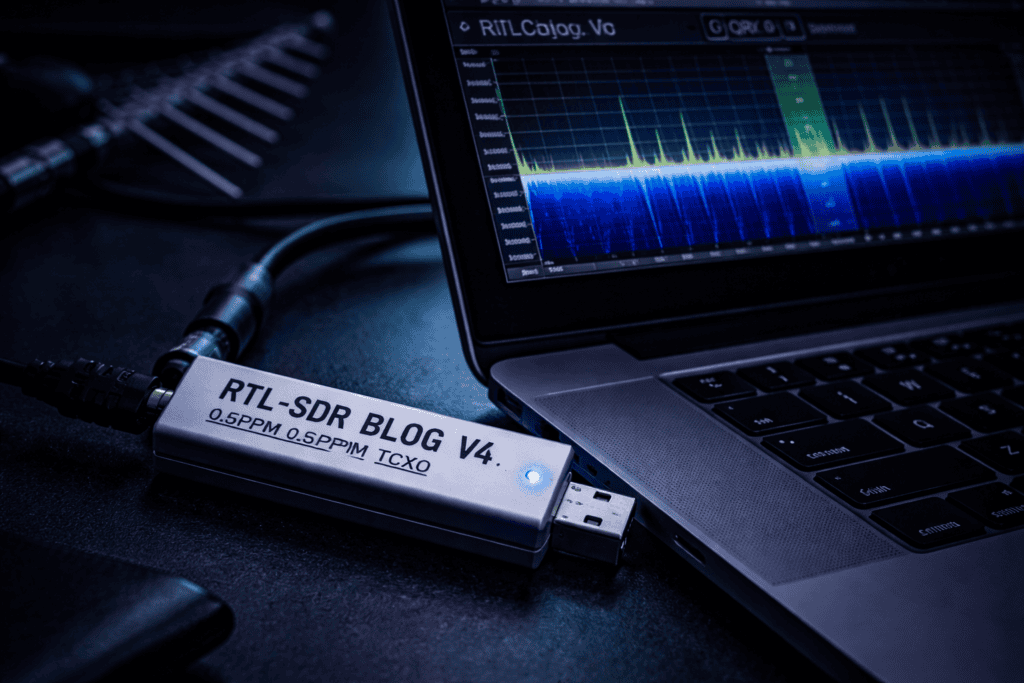
You’re staring at a wireless device that refuses to give up its secrets. Documentation is nonexistent, the manufacturer won’t respond to inquiries, and you need to understand what frequencies it’s transmitting on before you can even think about security testing. This is where software defined radio stops being theoretical and becomes your most valuable assessment tool. I’ve spent hundreds of hours with an RTL-SDR receiver analyzing everything from car key fobs to industrial sensors, and the barrier to entry is lower than most people think. If you can plug in a USB device and follow command line instructions, you can start capturing wireless signals within an hour.
Software defined radio fundamentally changes how we approach wireless security. Traditional radio receivers are hardware locked to specific frequencies and modulation schemes. SDR moves that functionality into software, turning a simple USB dongle into a scanner that can receive nearly any signal between 24 MHz and 1766 MHz depending on your hardware.
The RTL-SDR started as a cheap TV tuner hack. Someone discovered these digital TV dongles could be repurposed with open source drivers to receive raw radio signals. The security research community immediately recognized the value. Suddenly you could analyze wireless protocols without spending thousands on specialized equipment.
When I first started with SDR, I made the mistake of thinking it was just about listening to signals. That’s maybe 20% of the work. The real value comes from capturing, decoding, and understanding the data structure of wireless transmissions. You’re reverse engineering protocols that were never meant to be documented. Every IoT device, every wireless sensor, every proprietary remote control is transmitting data in the clear or with weak encryption. SDR gives you visibility into that traffic.
The RTL-SDR Blog V4 addresses most of the original hardware limitations. Better filtering, bias tee support for powering external amplifiers, improved thermal management. It’s still a receive only device, but for security assessment work, reception is where you start. You need to understand what a system is saying before you can craft meaningful attacks against it.
Installation takes ten minutes if you know what you’re doing. On Linux, which is where most serious work happens, you need the RTL-SDR drivers and either GQRX or SDR++ for visualization. On Kali Linux, it’s already in the repositories. Run sudo apt install rtl-sdr gqrx-sdr and you’re halfway there.
The first time you plug in the dongle, run rtl_test to verify the system sees it. You should get output showing the tuner type and supported gain modes. If it doesn’t detect, you’ve got a driver issue or the device is DOA. I’ve only seen one legitimate hardware failure in four years of testing dozens of these dongles.
Antenna selection matters more than people realize. The stock dipole antennas that ship with RTL-SDR dongles work fine for strong local signals, but you’re missing half the spectrum if you’re trying to capture weak transmissions. I burned through two hours trying to receive a 915 MHz sensor signal before realizing the antenna I was using had terrible performance above 800 MHz. The Ultra-Wideband 700MHz-2700MHz Log Periodic Antenna solves this by maintaining reasonable gain across the entire range you actually care about for security work.
Gain settings are counterintuitive. Maximum gain is not always better. Too much gain overloads the receiver and creates intermodulation products, false signals that don’t actually exist. Start with automatic gain control enabled in GQRX, find your target signal, then manually adjust gain while watching the signal to noise ratio. You want the cleanest possible waterfall display without clipping.
Physical environment affects reception dramatically. Concrete buildings attenuate RF. USB 3.0 ports generate noise that can drown out weak signals. I always use a USB 2.0 hub with a short quality cable when doing serious capture work. The reduction in noise floor is immediately visible in the spectrum display.
Once you’ve got the hardware receiving, the real detective work starts. Open GQRX, set your center frequency to something like 433.92 MHz, and just watch. The waterfall display shows signal activity over time. Strong signals appear as bright vertical lines. Intermittent signals like key fob presses show up as brief bursts.
Most IoT devices use license free ISM bands: 315 MHz in North America and Asia, 433 MHz in Europe, 868 MHz in Europe, 915 MHz in North America. Start your search there. If you’re assessing a specific device, physically trigger it while watching the waterfall. The correlation between button press and signal burst tells you exactly where to focus.
The first time I assessed a wireless door sensor, I spent twenty minutes scanning before I realized it only transmitted when the door state changed. Obvious in hindsight, but you develop these intuitions through experience. Many wireless sensors sleep 99% of the time to conserve battery. You need patience and systematic methodology.
Bandwidth gives you clues about modulation type. Narrow signals around 10-25 kHz are often ASK or OOK, amplitude shift keying or on off keying. Wider signals might be FSK, frequency shift keying. The shape of the signal in the spectrum display tells you what decoder you’ll need later.
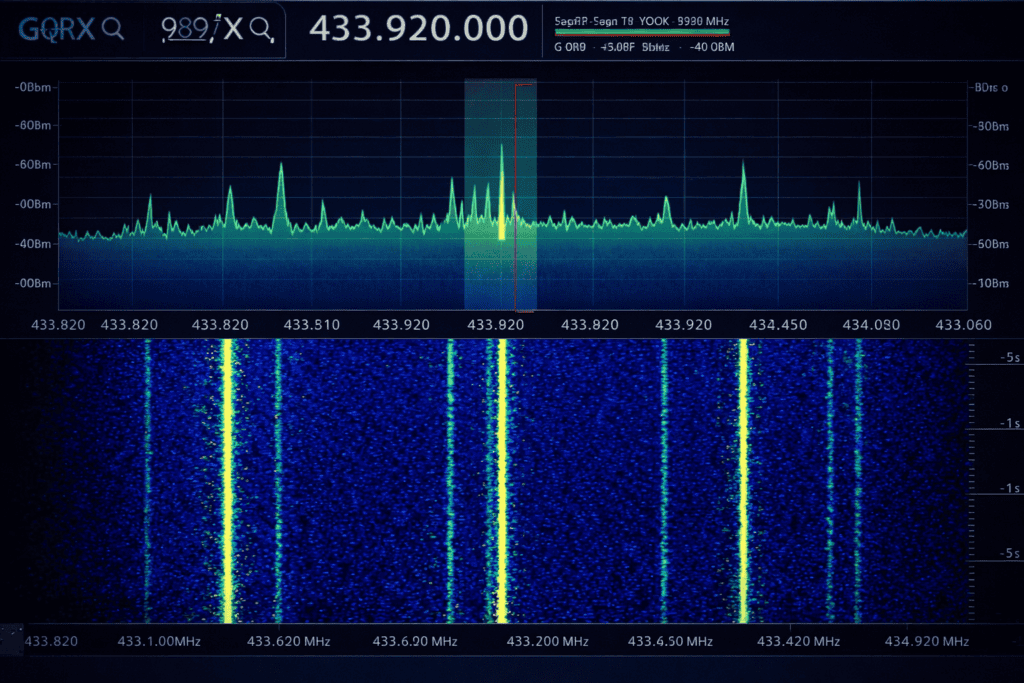
Signal strength is measured in dBm. Anything above negative 60 dBm is usually workable. Below negative 80 dBm and you’re fighting noise. If your target signal is too weak, you need a better antenna, lower noise environment, or you need to get physically closer to the transmitter.
Once you’ve identified your target, record it. GQRX has a built in recorder, but I prefer using rtl_sdr command line tool for captures I’m going to analyze later. Raw IQ data gives you the most flexibility for post processing. A 10 second capture at 2 Msps sample rate creates roughly 40 MB of data. Storage is cheap, so capture generously.
rtl_433 is the fastest path from raw signal to decoded data for common protocols. It’s a command line tool with built in decoders for hundreds of consumer wireless devices. Weather stations, tire pressure sensors, remote controls, wireless thermometers. Run rtl_433 -f 433.92M and it automatically attempts to decode anything it receives.
The output shows device type, ID, and transmitted data. For a wireless temperature sensor, you’ll see temperature readings, battery status, and device identifier. This is pure gold for security assessment. You now know the data structure, update frequency, and whether there’s any authentication mechanism. Spoiler: there usually isn’t.
When rtl_433 doesn’t recognize a protocol, you move to manual analysis. Universal Radio Hacker, URH, is the tool for this. It loads your captured IQ files and provides visual tools for identifying modulation, extracting binary data, and reverse engineering the protocol structure.
I remember spending an entire evening analyzing a proprietary garage door opener. rtl_433 didn’t recognize it. Loaded the capture into URH, identified it as FSK modulation, extracted the binary sequence, and discovered it was transmitting a static 24 bit code with zero rolling code or encryption. Three replays confirmed the door would open for anyone who captured the signal. That’s the kind of finding that makes SDR essential for IoT security work.
URH’s analysis tab shows you the raw binary data. Look for repeated patterns. Most wireless protocols send the same data multiple times for reliability. Count the bits. Common lengths are 24, 32, 48, or 64 bits. Break down the structure: preamble, sync word, data payload, checksum. Each section serves a purpose.
Demodulation type affects your success rate dramatically. If you’ve selected ASK but the signal is actually FSK, you’ll get garbage data. URH lets you switch between modulation types and immediately see the result. When you get clean binary with consistent structure across multiple captures, you’ve nailed it.
The RTL-SDR receives but doesn’t transmit. For complete RF security assessment, you need transmission capability. This is where the T-Embed CC1101 RF Expansion Module enters the workflow. The CC1101 is a true transceiver, bidirectional communication on Sub-GHz bands.
When I tested this module, the immediate use case was replay attacks. Capture a signal with RTL-SDR, analyze it with URH, then transmit it back with the CC1101. This works against any protocol that doesn’t implement rolling codes or challenge response authentication. You’d be shocked how many commercial systems still use static codes.
The CC1101 speaks SPI, so you need a microcontroller as the host. ESP32 is the common choice. Flash it with custom firmware, and you’ve got a portable RF testing platform that fits in your pocket. The learning curve is steeper than RTL-SDR, but the capability increase is worth it for professional assessment work.
Transmission power matters for responsible testing. The CC1101 outputs roughly 10 dBm, about 10 milliwatts. That’s enough to trigger devices within a few meters but won’t interfere with systems hundreds of meters away. Always test in controlled environments with explicit authorization. RF transmission without proper licensing and permission crosses legal lines quickly.
Frequency hopping protocols require synchronized receiver and transmitter. Bluetooth, some proprietary systems, and military radios hop between frequencies to avoid jamming and interception. RTL-SDR can sometimes track these if the hop rate is slow enough, but it’s not the ideal tool. This is where you’d move to more specialized equipment or alternative approaches.
Modulation diversity is a real problem in security research. You’ll encounter AM, FM, ASK, FSK, PSK, QAM, and custom modulation schemes. RTL-SDR handles most analog modulations well. Digital modulations require more processing power and sometimes better ADC resolution than the RTL chip provides.
Car key fobs remain criminally vulnerable. Most operate on 315 MHz or 433 MHz with rolling code implementations that have known weaknesses. Capture multiple transmissions, analyze the code progression, and you can sometimes predict future codes. This isn’t theoretical. Researchers demonstrated practical attacks years ago, yet manufacturers still ship vulnerable systems.
Wireless alarm systems often use 315 MHz or 433 MHz for sensor communication. Door sensors, motion detectors, glass break sensors all transmitting status wirelessly. Many send unencrypted data with weak or nonexistent authentication. I assessed a commercial alarm system that transmitted “door open” messages in plaintext. Anyone with an RTL-SDR and ten minutes of learning could monitor the entire system from the street.
Industrial sensors in manufacturing environments frequently use Sub-GHz wireless to avoid running cables. Temperature sensors, pressure sensors, flow meters broadcasting readings continuously. During one assessment, we discovered industrial control data transmitted without encryption on 900 MHz. An attacker could inject false sensor readings to trigger safety shutdowns or mask actual problems.
Smart home devices love 433 MHz. Wireless doorbells, weather stations, remote outlets, security cameras. The entire ecosystem of cheap IoT devices shares these frequencies with minimal security. Cross device interference is common. Your neighbor’s wireless thermometer might be triggering your outdoor lights because both use the same frequency with no device filtering.
The relationship between RTL-SDR work and tools like Flipper Zero is complementary. RTL-SDR lets you discover and analyze. Flipper Zero lets you quickly test findings in the field. I use SDR for the research phase, then load confirmed working attacks onto Flipper for practical demonstration during client assessments.
Start every engagement with reconnaissance. What wireless devices are present? What frequencies are in use? Spend 30 minutes with GQRX scanning the ISM bands while walking the perimeter of your test environment. Document every signal you find with frequency, bandwidth, signal strength, and suspected device type.
Capture first, analyze later. Storage is cheap. Record raw IQ data for everything interesting. I keep a capture library organized by frequency and device type. When you’re back in the lab, you can replay these captures without needing physical access to the original device.
Correlation between physical actions and RF transmissions is your fastest route to understanding device behavior. Press the doorbell, watch for the transmission. Open the door, watch for the sensor signal. Walk past the motion detector, catch the alert packet. This cause and effect analysis quickly maps RF traffic to device functions.
Documentation makes the difference between random findings and a professional report. For every captured signal: frequency, modulation type, bit length, data structure, transmission rate, and security mechanisms if any. Screenshots of decoded data. Verification that replay attacks work or don’t work. Clients pay for thorough analysis, not just “I saw some radio signals.”
Chain multiple tools together for complex protocols. RTL-SDR for capture, URH for initial analysis, GNU Radio for custom demodulation if needed, Python scripts for automated decoding and attack generation. The open source SDR ecosystem is massive. Whatever weird modulation or protocol you encounter, someone has probably written a decoder.
Is RTL-SDR legal to use for security research and penetration testing? Receiving radio signals is legal in most jurisdictions. You’re allowed to listen to any unencrypted transmission. Transmitting requires licensing and authorization. Always obtain written permission before conducting RF security assessments, and never transmit on frequencies outside your legal authority.
What’s the difference between RTL-SDR Blog V4 and cheaper generic RTL-SDR dongles? The V4 includes improved filtering to reduce interference, bias tee support for powering external LNAs, better temperature stability, and proper RF shielding. Generic dongles work but suffer from frequency drift and spurious signals. For professional work, the V4’s improvements justify the small price difference.
Can I use RTL-SDR to capture and replay car key fob signals? You can capture key fob transmissions with RTL-SDR, but most modern vehicles use rolling codes that change with each transmission. Simple replay attacks fail against rolling code systems. Older vehicles with static codes are vulnerable, but security researchers need transmit capable hardware to perform actual replay attacks after analysis.
Do I need programming knowledge to use SDR for security testing? Basic command line comfort is essential. Tools like rtl_433 and GQRX work without coding. For advanced protocol reverse engineering, Python scripting helps automate analysis and attack development. You can start without programming and gradually build coding skills as you encounter more complex scenarios.
The gap between capturing a wireless signal and demonstrating actual security impact requires systematic methodology. RTL-SDR gives you visibility into RF traffic that most security tools completely miss. Every wireless sensor, every remote control, every IoT device broadcasting data represents potential attack surface that traditional network scanning never touches.
Building your toolkit around proven hardware removes variables when you’re learning. The RTL-SDR Blog V4 paired with a quality wideband antenna covers 90% of Sub-GHz security research scenarios you’ll encounter in IoT assessments. Start there, understand the fundamentals, then expand into transmit capable hardware as your testing requirements grow.
Whether you’re auditing industrial control systems, assessing smart home security, or researching automotive vulnerabilities, software defined radio transforms invisible wireless traffic into actionable intelligence. Explore the tools that fit your specific testing methodology at Wai Works. Browse the full range of pentesting hardware at the Wai Works shop.
