
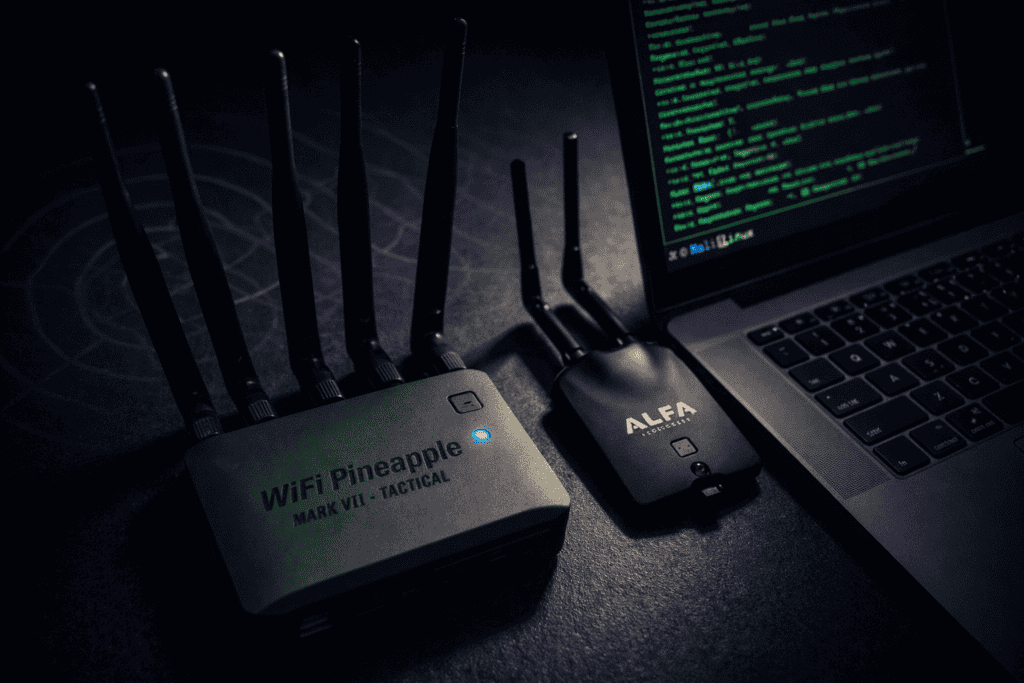
You’re prepping for a wireless assessment and need to deploy an evil twin access point. The client expects results, not excuses about compatibility issues or dropped connections. Do you grab the purpose-built WiFi Pineapple Mark VII or stick with the tried-and-true Alfa adapter paired with Aircrack-ng? I’ve run both setups against enterprise networks, coffee shop hotspots, and controlled lab environments. The performance gap isn’t what you’d expect, and the price difference matters more than vendors admit. Here’s what actually happens when you put both tools under real engagement pressure.
The WiFi Pineapple Mark VII costs around £500. An Alfa AWUS036ACH adapter runs about £35, and Aircrack-ng is free. That’s a 14x price difference for what marketing materials claim is “streamlined wireless auditing.” I burned through two days on a recent engagement fighting driver issues with a client’s locked-down laptop before realizing the Pineapple would’ve had me operational in under ten minutes.
But price and convenience don’t tell the whole story. The real question is whether dedicated hardware delivers enough performance advantage to justify the cost when you’re billing hourly and your methodology needs to be repeatable across different client environments.
The Pineapple Mark VII runs a customized OpenWrt fork with a web interface that handles evil twin deployment, credential harvesting, and client tracking without touching a terminal. The Alfa approach requires manual interface configuration, careful channel selection, and stitching together multiple tools (Aircrack-ng, hostapd, dnsmasq, iptables) into a functional attack chain. One isn’t inherently better. They solve different problems for different threat models.
With the WiFi Pineapple Mark VII, I went from unboxing to capturing WPA handshakes in twelve minutes. That included the initial firmware update, connecting to the management interface, and configuring the PineAP module for rogue AP broadcasting. The web UI walks you through target SSID selection, channel hopping configuration, and setting up logging destinations. You click “Start,” and the device begins broadcasting spoofed networks immediately.
The Alfa adapter setup on Kali Linux took forty-eight minutes for the same operational state. First, I verified monitor mode support with airmon-ng check kill to stop interfering processes, then airmon-ng start wlan0 to enable monitoring. Configuring hostapd required editing a config file to match the target network’s parameters (SSID, channel, encryption type), then launching dnsmasq for DHCP services and configuring iptables rules for traffic forwarding. Each step introduces potential failure points.
The time difference compounds during multi-network engagements. Switching target SSIDs on the Pineapple means updating a text field and clicking save. With the Alfa setup, you’re editing hostapd.conf, restarting services, and verifying each layer of the stack reinitialized correctly. When you’re testing twenty different access points across a corporate campus, those extra minutes add up to hours of billable time.
I tested both setups against the same controlled environment: fifteen mixed client devices (iOS, Android, Windows, macOS) configured to auto-connect to a WPA2-PSK network named “CorpWiFi.” Both systems broadcast identical evil twin networks with stronger signal strength than the legitimate AP.
The Pineapple Mark VII captured authentication attempts from thirteen devices within five minutes. Two devices (recent iPhones running iOS 17) refused to connect, likely due to enhanced MAC randomization and network security checks. The PineAP feature automatically responded to probe requests and directed clients toward the rogue network with minimal manual intervention.
The Alfa adapter setup initially connected only eight devices. After adjusting hostapd beacon timing and enabling karma attack mode through a custom script, I eventually pulled in eleven connections. The missing devices appeared to timeout during DHCP assignment, which required tweaking dnsmasq lease timing to resolve. Performance was solid once properly configured, but getting there required troubleshooting that wouldn’t fly during a time-boxed assessment.
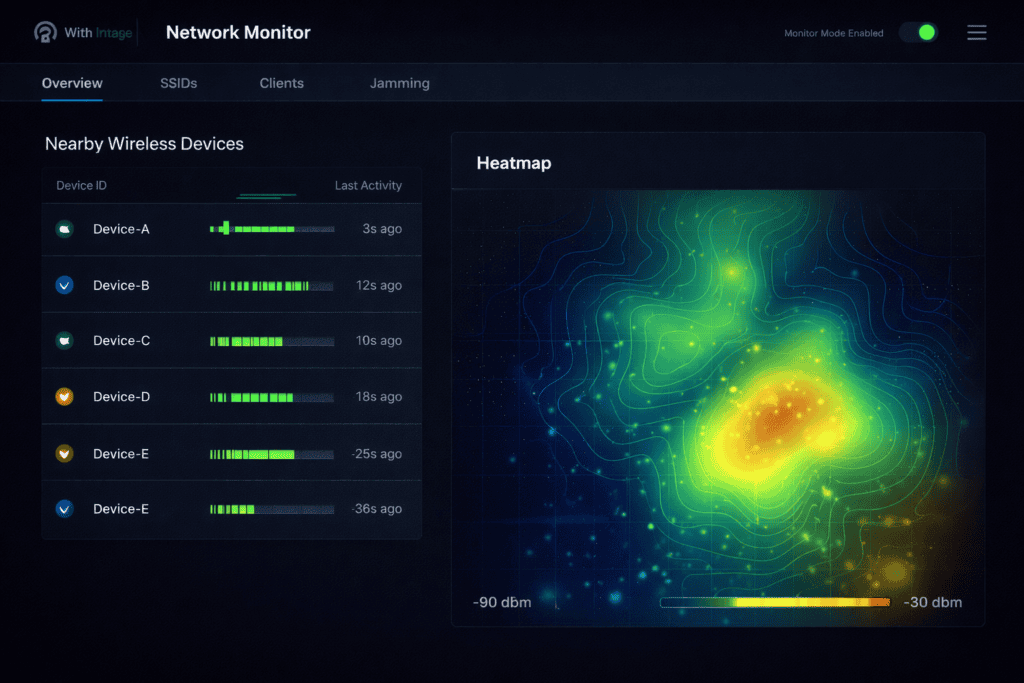
The Pineapple’s edge comes from years of firmware optimization specifically for rogue AP deployment. The developers solved the edge cases that kill Alfa-based attacks: beacon flooding, aggressive client deauth to force reconnection attempts, and automatic channel hopping to track target networks that switch frequencies. You can replicate all of this with Bash scripts and cron jobs, but you’re essentially rebuilding the Pineapple’s firmware from scratch.
Both setups can serve captive portals to harvest credentials, but the implementation difficulty differs significantly. The Pineapple Mark VII includes a module system where you download pre-built phishing portals (login clones for common services) through the web interface. I deployed a fake hotel WiFi portal that captured email credentials from test devices in under three minutes.
With the Alfa adapter, I configured a custom captive portal using Apache, modified iptables rules to redirect HTTP traffic, and created HTML login forms that logged POST data. The entire process took about ninety minutes for a basic functional portal. More sophisticated setups involving HTTPS interception with SSL stripping require additional tools (sslstrip, bettercap) and careful certificate management to avoid browser warnings that spook targets.
The Pineapple’s module repository includes ready-made options for enterprise WiFi portals, social media login pages, and generic credential harvesters. You’re not writing PHP or configuring web servers. You’re clicking install and customizing branding. For engagements where time pressure matters more than learning opportunities, that’s the difference between reporting findings and explaining why you didn’t finish the scope.
That said, the Alfa approach gives you complete control over the phishing infrastructure. You can build exactly the portal you need, integrate custom logging, and adapt on the fly when client devices behave unexpectedly. I’ve had engagements where the Pineapple’s modules didn’t quite match the target environment, forcing me to drop back to manual portal configuration anyway.
From a defensive standpoint, both approaches generate detectable anomalies, but the signatures differ. The Pineapple Mark VII broadcasts with specific MAC address OUI ranges that some enterprise WLAN intrusion detection systems flag automatically. I’ve seen installations where Cisco Wireless Intrusion Prevention immediately alerts on Pineapple hardware based on vendor fingerprinting.
The Alfa adapter’s MAC address can be spoofed to match legitimate vendor ranges, making device-level detection harder. However, the manual attack chain often creates timing inconsistencies in beacon frames and probe responses that trained analysts recognize. Your hostapd configuration might broadcast slightly different information elements than genuine APs, creating a fingerprint that sophisticated monitoring picks up.
Both setups are vulnerable to received signal strength (RSS) analysis. If your rogue AP claims to be “CorpWiFi” but triangulation shows the signal originating from the parking lot instead of the server room, security operations will investigate. Physical placement matters more than tool choice here. I’ve had better luck hiding an Alfa adapter in a dropped ceiling tile than explaining why a bright orange Pineapple was sitting on a conference room table.
The Pineapple’s web interface is another detection vector if you’re not careful. It broadcasts its own management SSID by default (“WiFi Pineapple XXXX”), which screams “attack in progress” to anyone running WiFi scanning tools. You can disable this or restrict access to wired-only management, but I’ve seen pentesters forget this step and wonder why security responded so quickly.
The WiFi Pineapple Mark VII Tactical includes two radios: one for attack operations and one for upstream internet connectivity. This matters when you need to provide internet access through your evil twin to avoid arousing suspicion. Clients expect hotel WiFi to actually work. If your rogue AP just captures credentials without delivering connectivity, sophisticated users will notice and disconnect.
With a single Alfa adapter, you’re choosing between attack operations and internet relay. You can add a second adapter for upstream connectivity, but now you’re managing two USB devices, two sets of drivers, and potential radio interference if they’re operating on nearby channels. I’ve done this setup for complex engagements, and it works, but the configuration overhead is real.
The dual-radio setup also enables man-in-the-middle attacks where you intercept and modify traffic flowing between clients and the internet. The Pineapple’s module ecosystem includes tools for SSL stripping, JavaScript injection, and DNS spoofing that leverage this architecture. Replicating this with Alfa adapters requires running bettercap or mitmproxy with custom routing rules—totally doable, but not something you improvise during an assessment.
For purely educational purposes or budget-constrained testing, the WiFi Nugget offers similar automation to the Pineapple at a fraction of the cost. It won’t match the Mark VII’s performance on enterprise engagements, but for learning evil twin fundamentals or testing small networks, it’s a solid middle ground between DIY Alfa setups and premium hardware.
The Pineapple Mark VII Tactical weighs about 350 grams with all antennas attached. It’s designed for tactical deployments where you drop the device, power it via USB-C or battery pack, and walk away while it operates autonomously. I’ve velcroed these to false ceilings, hidden them in equipment racks, and mounted them in weatherproof boxes for outdoor assessments. The ruggedized case handles rough treatment better than exposed Alfa adapters.
An Alfa adapter plus laptop is inherently less covert. You’re carrying a full computer, which limits hide-site options and draws attention during physical access phases of an engagement. I’ve worked around this by using a Raspberry Pi 5 as the host system, creating a compact Alfa-based attack platform that fits in a jacket pocket. The Raspberry Pi 5 8GB runs Kali Linux headlessly and manages Alfa adapters without issues, though you lose the simplicity of the Pineapple’s web interface.
Battery life considerations matter for deployments lasting hours. The Pineapple Mark VII draws approximately 2.5 watts under typical load. A 20,000mAh power bank provides roughly eight hours of continuous operation. An Alfa adapter paired with a Raspberry Pi draws similar power, so battery performance is comparable. Laptop-based setups drain batteries much faster unless you’re deploying near power outlets.
The real portability difference is setup complexity in the field. If security escorts you off-site mid-engagement, can you redeploy quickly at a new location? With the Pineapple, you plug in power, wait sixty seconds for boot, and you’re operational. The Alfa setup requires verifying interface states, restarting services, and confirming each component initialized correctly—doable under pressure, but not ideal when you’re trying to stay off security’s radar.
The WiFi Pineapple Mark VII Tactical at £500 is a one-time purchase with no licensing fees. Firmware updates are free. Modules are community-contributed. Your ongoing costs are zero unless you break the hardware, at which point you’re buying a complete replacement.
An Alfa AWUS036ACH adapter costs about £35. Add a Raspberry Pi 5 (£60), microSD card (£10), and a decent power bank (£30), and you’re at £135 for a complete portable setup. That’s still less than a third of the Pineapple’s cost. However, this calculation ignores your time value.
If you bill at £100/hour and the Pineapple saves you two hours per engagement through faster setup and fewer troubleshooting iterations, it pays for itself after three jobs. For independent consultants running monthly assessments, that’s quarter-one ROI. For security researchers doing occasional testing, the Alfa setup makes more economic sense.
The hidden cost is opportunity loss when tools fail. I’ve had Alfa adapters where monitor mode randomly stops working after kernel updates, forcing me to downgrade drivers or switch to older kernels. The Pineapple’s firmware is tested specifically for stability across updates. When you’re on-site at a client location with limited internet access, hardware that just works is worth the premium.
Consider also the learning curve investment. If you’re new to WiFi security, the Alfa approach forces you to understand every component of the attack chain. That knowledge is valuable and transferable. The Pineapple abstracts away critical details, which speeds deployment but potentially creates knowledge gaps. I’ve interviewed pentesters who can operate a Pineapple flawlessly but can’t explain how deauthentication attacks actually work at the frame level.
Both setups are equally illegal when used without authorization. The Computer Misuse Act in the UK and similar legislation globally make unauthorized network access a criminal offense regardless of whether you used a Pineapple or an Alfa adapter. Your tool choice doesn’t affect legal liability during unauthorized testing.
For authorized engagements, document your rules of engagement carefully. Some organizations specifically prohibit certain attack types (like deauthentication, which disrupts legitimate users) regardless of authorization. The Pineapple’s automated features can accidentally cross these boundaries if you’re not paying attention to what modules are doing. The Alfa approach requires manual execution of each step, giving you more control over exactly which attacks you deploy.
Radio transmission regulations also matter. Both devices must comply with regional wireless power limits and frequency restrictions. The Pineapple Mark VII is certified for use in most jurisdictions, but operating it outside approved frequency bands or at excessive power levels violates telecommunications regulations. Alfa adapters vary by model—ensure your specific hardware is legal to operate in your testing location.
From a professional liability perspective, the Pineapple’s GUI creates an audit trail of exactly which features you enabled and when. This documentation can be valuable when clients question your methodology or when justifying findings in reports. The Alfa approach requires manual logging of commands and configuration changes if you want comparable documentation.
The WiFi Pineapple Mark VII excels in time-constrained assessments where you need immediate results. I used one during a three-day penetration test of a financial services firm where wireless access was only one component of a larger scope. Setting up the Pineapple took minimal time away from other testing objectives, and I left it running unattended while focusing on application security. The automated logging captured everything I needed for the wireless section of my report.
The Alfa adapter approach wins when you need maximum customization or are operating under tight budget constraints. During a pro bono assessment for a nonprofit, I couldn’t justify billing them for a £500 device. An Alfa adapter I already owned, paired with a borrowed laptop, delivered the same fundamental capabilities at zero marginal cost. The extra setup time came from my unbilled hours, which mattered less than keeping their security assessment affordable.
For training environments and labs, the Alfa method is superior for educational value. When teaching WiFi security workshops, I walk students through manual configuration to ensure they understand beacon frames, authentication handshakes, and the four-way WPA handshake process. The Pineapple is useful for demonstrating what professional tools look like, but it doesn’t build foundational knowledge the way manual tooling does.
Physical access scenarios favor the Pineapple’s form factor. If you need to deploy a persistent WiFi attack device in a target environment, the dedicated hardware is easier to hide and less suspicious if discovered. A USB WiFi adapter plugged into a hidden Raspberry Pi looks like deliberate attack infrastructure. A Pineapple could plausibly be mistaken for network testing equipment if discovered during a casual inspection.
Can the WiFi Pineapple Mark VII perform the same attacks as Aircrack-ng with an Alfa adapter? Yes, both setups can execute evil twin attacks, WPA handshake capture, and credential harvesting. The Pineapple automates these workflows through its web interface and module system, while the Alfa approach requires manual configuration of individual tools. The underlying attack methodologies are identical—the difference is implementation complexity and time investment.
Is an Alfa AWUS036ACH or AWUS036NHA better for evil twin attacks? The AWUS036ACH supports 802.11ac networks and operates on both 2.4GHz and 5GHz bands, making it more versatile for modern networks. The AWUS036NHA is limited to 2.4GHz 802.11n but has better long-range performance and more reliable monitor mode on some Linux distributions. For evil twin attacks specifically, the ACH’s dual-band support provides broader target coverage.
Will enterprise wireless intrusion detection systems automatically detect WiFi Pineapple hardware? Some WIDS solutions maintain signatures for Pineapple MAC address ranges and can flag them automatically. However, MAC spoofing and careful SSID selection can reduce detection likelihood. More sophisticated detection comes from analyzing beacon timing, probe response patterns, and received signal strength triangulation—which affects both Pineapples and Alfa setups equally.
Can I use a WiFi Pineapple for home network security testing? Yes, the Pineapple works well for testing your own networks’ resistance to evil twin attacks and verifying client devices aren’t configured to auto-connect to unknown SSIDs. It’s particularly useful for testing IoT device WiFi security and identifying devices that connect to open networks without user confirmation. Just ensure you have legal authority over all networks you test.
Neither tool is objectively superior for all scenarios. The Pineapple Mark VII trades cost for operational speed and reliability, making it worthwhile for professional consultants who value their time and need consistent performance across diverse client environments. The Alfa adapter approach maximizes flexibility and learning value while keeping hardware costs minimal. I keep both in my toolkit because different engagements demand different trade-offs between speed, control, and budget.
The real question isn’t which tool to buy, but which methodology fits your current needs. If you’re building out a professional pentesting practice and wireless assessments are a core offering, the investment in dedicated hardware like the Pineapple pays dividends through time savings and reduced troubleshooting. For security researchers, students, and occasional wireless testing, the Alfa path provides equivalent capabilities at a fraction of the cost. Explore the options that fit your methodology at Wai Works, where every tool is selected for real-world pentesting effectiveness. Browse the full range of pentesting hardware at the Wai Works shop.
